
| Quick Summary |
|---|
SewWhat-Pro, Embrilliance, and Hatch serve different embroidery needs, budgets, and skill levels.
|
You may already use SewWhat-Pro for everyday embroidery projects but wonder if Embrilliance or Hatch offers better tools. With different prices, software levels, features, and learning curves, choosing the right program can feel overwhelming.
However, editing an existing embroidery design is different from turning new artwork into stitches. Understanding this difference helps you avoid spending money on tools you may not need.
In this guide, we compare all three programs based on features, pricing, ease of use, machine compatibility, and business needs. If creating custom designs seems challenging, professional manual embroidery digitizing services offer a practical alternative without the expense of advanced software.
- Quick Answer: Which Embroidery Software Should You Choose?
- An Overview of the Three Embroidery Programs
- SewWhat-Pro vs Embrilliance vs Hatch: Side-by-Side Comparison
- Embroidery Editing and Digitizing Capabilities
- Pricing, Software Levels, and Upgrade Costs
- Which Embroidery Software Is Easier to Learn?
- Machine Compatibility and Supported File Formats
- Is It Worth Upgrading From SewWhat-Pro?
- DIY vs. Professional Embroidery Digitizing: Cost and Benefits
Quick Answer: Which Embroidery Software Should You Choose?
Choose SewWhat-Pro for affordable editing, Embrilliance for flexible personalization and gradual upgrades, or Hatch for advanced embroidery design editing and digitizing.
Which Software Suits Your Needs?
- SewWhat-Pro: Best for beginners and hobbyists who resize, merge, personalize, and convert existing embroidery designs on a budget.
- Embrilliance: Ideal for Mac and Windows users who work with lettering and monograms or want to add digitizing tools as their skills grow.
- Hatch: Best for experienced embroiderers and growing businesses that need advanced stitch editing, automatic digitizing, and manual design creation.
However, the most expensive software is not always the right choice. Consider your daily embroidery tasks, computer compatibility, budget, and future goals before investing in a new program.
An Overview of the Three Embroidery Programs
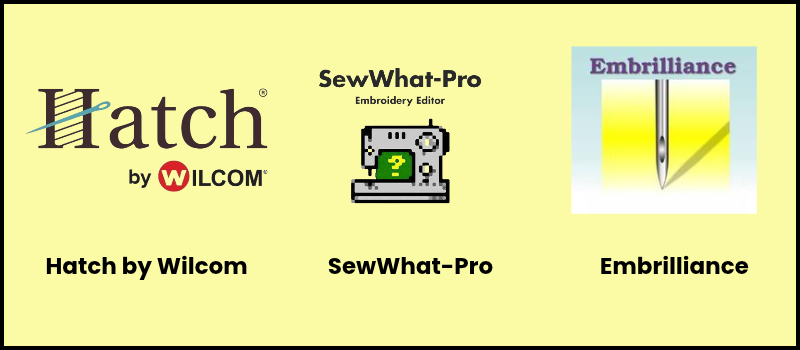
Each embroidery program serves a different purpose. Some focus on editing existing designs, while others offer tools to create original embroidery patterns. Understanding their features makes it easier to choose the right one.
SewWhat-Pro
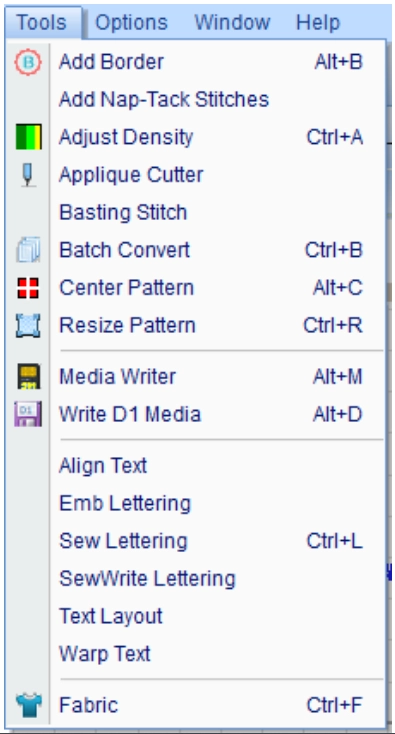
Developed by S&S Computing, SewWhat-Pro is an affordable embroidery editing program for hobbyists and small businesses. It allows users to resize, merge, split, and rotate existing designs. You can also add lettering, change thread colors, and convert file formats.
Moreover, it offers tools to adjust stitch density, preview stitch-outs, and manage appliqué cutting outlines.
However, SewWhat-Pro is primarily an editor. S&S Computing offers SewArt as a separate program for converting images into embroidery designs.
Embrilliance
Embrilliance uses a modular system that allows users to purchase tools based on their needs. Its main software options include:
- Essentials: Everyday design editing, lettering, and personalization.
- Enthusiast: Advanced stitch editing and design adjustments.
- StitchArtist Level 1: Basic digitizing and simple design creation.
- StitchArtist Level 2: Detailed designs and custom logo digitizing.
- StitchArtist Level 3: Advanced design creation and production tools.
Additionally, Embrilliance runs natively on both Mac and Windows. Users can add more modules as their skills and business needs grow.
Hatch Embroidery
Hatch Embroidery by Wilcom offers a complete range of tools for home embroiderers and growing businesses. It comes in four software levels:
- Organizer: Design management and basic editing.
- Personalizer: Lettering and monogramming.
- Composer: Advanced editing and automatic digitizing.
- Digitizer: Advanced manual digitizing and creative stitch controls.
Unlike Embrilliance’s separate modules, each higher Hatch level includes the features of the previous levels. This allows users to upgrade without losing access to their existing tools.
Choosing the right embroidery software starts with understanding your options. Watch the quick and helpful video below for a quick look at SewWhat-Pro, Embrilliance, and Hatch.
SewWhat-Pro vs Embrilliance vs Hatch: Side-by-Side Comparison
All three programs offer useful embroidery tools, but they differ in price, stitch control, and design creation features. The following table compares their main capabilities to help you find the right software for your projects.
| Feature | SewWhat-Pro | Embrilliance | Hatch Embroidery 4 |
|---|---|---|---|
| Design resizing | Yes | Essentials | All levels |
| Design merging | Yes | Essentials | Yes |
| Lettering and monograms | Yes | Essentials | Personalizer and above |
| Advanced stitch editing | Limited | Enthusiast | Composer and above |
| Manual digitizing | No | StitchArtist | Digitizer |
| Auto-digitizing artwork | No | No | Composer and Digitizer |
| Appliqué tools | Cutting outlines | Module-dependent | Level-dependent |
| Density adjustment | Yes | Module-dependent | Yes |
| File format conversion | Yes | Yes | Yes |
| Native Windows support | Yes | Yes | Windows 11 |
| Native Mac support | No | Yes | No |
| Free trial or demo | 30 days | Demo without saving | 30 days |
| Upgrade options | Separate software | Individual modules | Higher software levels |
| Best for | Affordable editing | Flexible customization | Advanced design creation |
Note: All prices reflect regular US retail prices without temporary discounts. Embrilliance also offers a free Express mode for BX lettering.
Understanding the Feature Differences
However, comparing basic editing software with a full digitizing package is not entirely fair. SewWhat-Pro handles everyday design changes at a lower cost, while Embrilliance allows you to purchase tools separately.
Meanwhile, Hatch combines more features as you move to higher levels. Consider which tools you will actually use before paying for a complete digitizing package.
Embroidery Editing and Digitizing Capabilities
The biggest difference between these programs lies in how much control they give you over design customization, stitch editing, and original design creation.
Lettering, Monograms, and Design Customization
All three programs offer tools for personalizing shirts, adding names to towels, combining purchased designs, and changing thread colors. However, their lettering capabilities differ.
- SewWhat-Pro supports TrueType fonts and pre-digitized embroidery alphabets. However, stitch quality can vary when using regular computer fonts.
- Embrilliance Essentials supports BX fonts, which allow you to type embroidery lettering directly using your keyboard.
- Hatch Embroidery 4 offers 66 built-in embroidery fonts in Personalizer, 78 in Composer, and 130 in Digitizer.
For everyday personalization, SewWhat-Pro and Embrilliance Essentials offer practical tools without requiring a complete digitizing package.
Manual and Automatic Digitizing
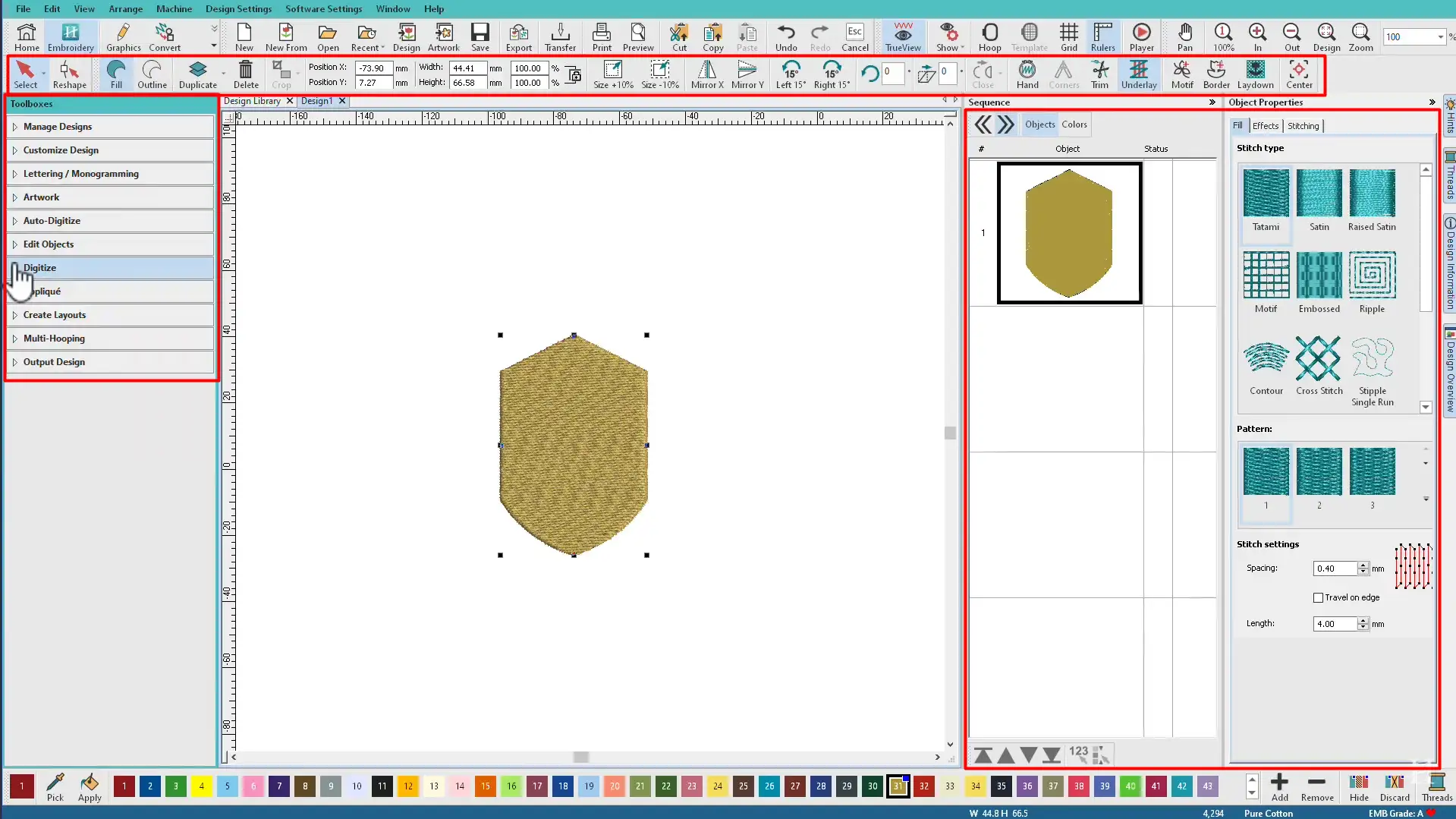
Editing an existing PES file is different from converting a JPG into a digitized file.
SewWhat-Pro primarily modifies existing embroidery files. You need a separate program, such as SewArt, to digitize original artwork.
Meanwhile, Embrilliance StitchArtist provides manual digitizing tools that allow you to draw shapes, assign stitch types, and adjust stitch properties.
Hatch Composer offers automatic digitizing, while Digitizer provides complete manual digitizing tools. However, automatically generated designs often require adjustments before stitching.
Appliqué, Custom Logos, and Stitch Control
SewWhat-Pro offers tools for generating cutting outlines from existing appliqué designs. StitchArtist supports original appliqué embroidery design creation, while Hatch Digitizer 4 offers advanced appliqué and stitch controls.
When digitizing patches, company logos, or detailed lettering, pay attention to these settings:
- Stitch density: Controls stitch spacing and coverage.
- Underlay: Provides a stable foundation for top stitches.
- Stitch direction: Influences texture and appearance.
- Stitch sequencing: Controls the order of stitching.
- Pull compensation: Accounts for fabric distortion during embroidery.
Ultimately, embroidery quality depends on how well you apply these settings to the fabric and design. Even advanced software requires proper digitizing skills and test stitch-outs to achieve clean, consistent results.
Pricing, Software Levels, and Upgrade Costs
The initial price of embroidery software does not always reflect the total investment. While SewWhat-Pro offers affordable editing tools, Embrilliance and Hatch provide different packages for users with growing needs.
Embroidery Software Pricing
| Software or Edition | Regular US Price |
|---|---|
| SewWhat-Pro | $65 |
| Embrilliance Essentials | $159 |
| Embrilliance Enthusiast | $179 |
| StitchArtist Level 1 | $179 |
| StitchArtist Level 2 | $389 |
| StitchArtist Level 3 | $699 |
| Hatch Organizer 4 | $199 |
| Hatch Personalizer 4 | $299 |
| Hatch Composer 4 | $699 |
| Hatch Digitizer 4 | $1,199 |
Prices reflect regular retail rates and exclude promotional discounts.
Software Upgrades and Additional Expenses
Embrilliance offers Essentials and StitchArtist as separate products. For example, if you need everyday editing and Level 2 manual digitizing tools, purchasing both products costs $548 at regular prices.
In contrast, each higher Hatch level includes the features of its lower levels. You can also purchase upgrades without paying the full retail price again.
Moreover, consider these additional expenses before purchasing:
- Optional embroidery fonts and software add-ons.
- Future software upgrades.
- Computer upgrades or compatibility software.
- Training and time spent learning digitizing.
However, S&S Computing offers free lifetime software updates for SewWhat-Pro, making it an attractive option for budget-conscious users.
Ultimately, invest in the features your embroidery projects require rather than stretching your budget for tools you may never use.
Which Embroidery Software Is Easier to Learn?
SewWhat-Pro focuses on everyday editing, making its tools less complex for beginners. Embrilliance allows users to learn one module at a time, while Hatch offers a wider range of design tools.
However, manual digitizing takes more time to learn than resizing designs or adding lettering. All three programs offer video tutorials, user guides, and online community support. Hatch Academy also provides structured lessons for different skill levels.
Meanwhile, working with professional digitizers saves learning time, reduces costly stitching mistakes, and ensures proper stitch settings. This allows you to focus on embroidery production, complete customer orders faster, and grow your business without mastering complex software.
Free Trials and Learning Options
- SewWhat-Pro: Offers a free 30-day trial to explore its editing tools.
- Embrilliance: Provides a demo to explore several modules without saving designs. Its free Express mode supports BX lettering.
- Hatch: Offers a 30-day trial with access to all four software levels and over 200 training lessons.
Before purchasing, try familiar projects such as adding names to towels or combining existing designs. This allows you to compare the tools, understand the workspace, and choose software that matches your learning pace.
Machine Compatibility and Supported File Formats
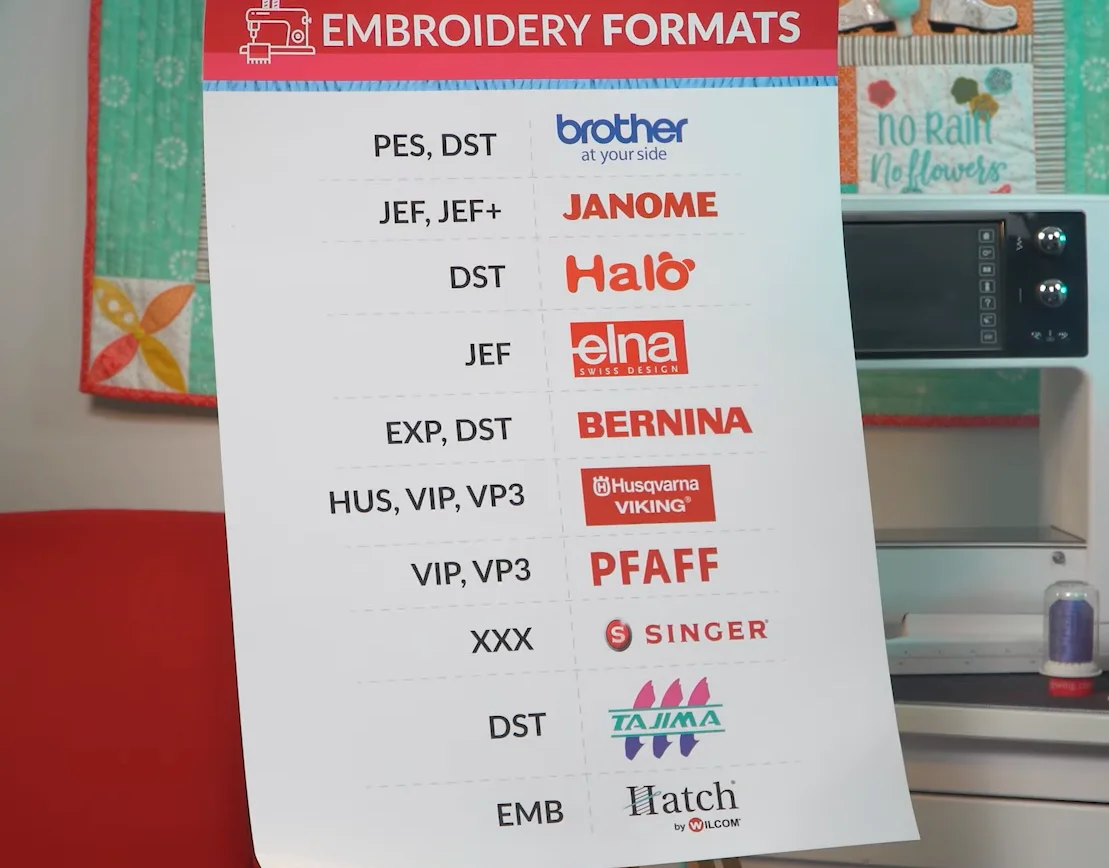
All three programs support popular home and commercial embroidery machines, including Brother, Baby Lock, Janome, and Tajima. However, compatibility depends on your machine’s supported embroidery file formats and maximum embroidery area.
Common Embroidery File Formats
| File Format | Compatible Machine Brands |
|---|---|
| PES | Brother and Baby Lock |
| DST | Tajima and other commercial machines |
| JEF | Janome |
| EXP | Melco and compatible machines |
| VP3 | Husqvarna Viking and Pfaff |
Always check your machine’s file requirements and hoop size before exporting a design.
Editable Files vs. Machine Files
Hatch uses EMB, while Embrilliance uses BE as its working file format. These formats store design information for future editing. In contrast, machine-ready files contain stitch instructions that your embroidery machine reads.
Windows and Mac Compatibility
Embrilliance runs natively on Windows and Mac. However, SewWhat-Pro requires Windows emulation software on Mac, while Hatch Embroidery 4 requires Windows 11 and runs on compatible Macs through Parallels Desktop.
Is It Worth Upgrading From SewWhat-Pro?
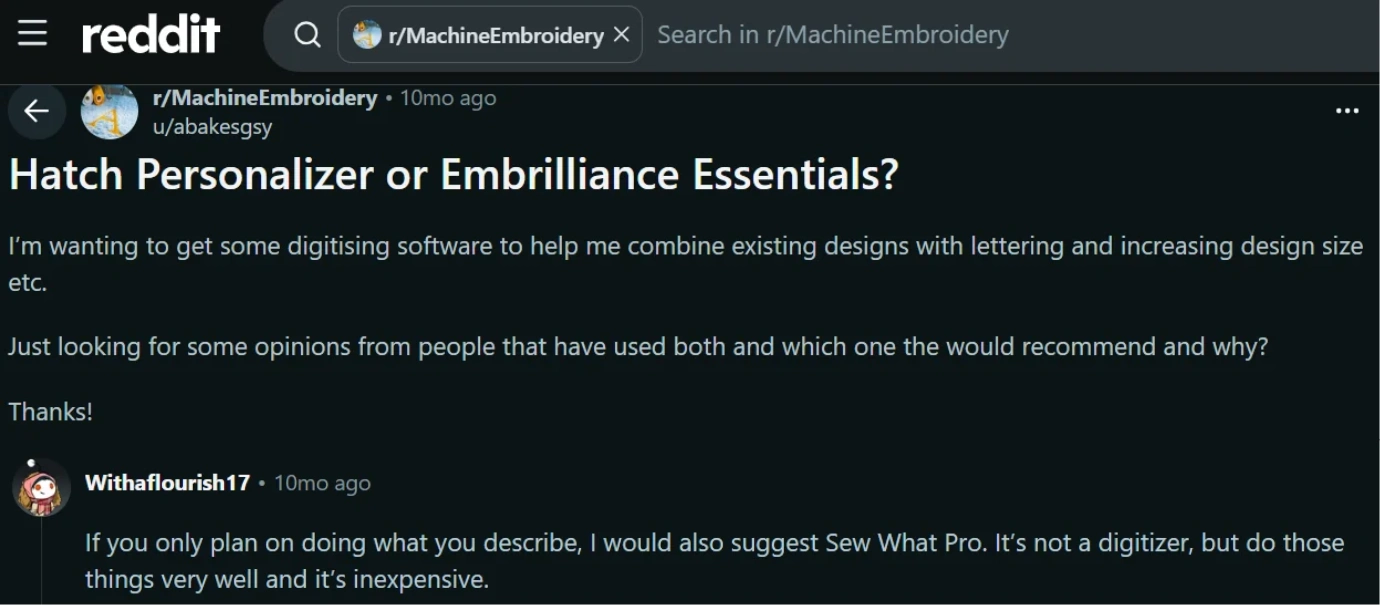
This Reddit discussion highlights why upgrading is not always necessary. If your projects mainly involve lettering, resizing, and combining existing designs, SewWhat-Pro may offer everything you need without the extra cost of advanced digitizing software.
Upgrading from SewWhat-Pro is worth considering when your current tools no longer meet your embroidery needs. However, if you mainly resize, merge, personalize, and convert existing designs, there is little reason to replace it.
When Should You Upgrade?
Consider switching to another program in these situations:
- Choose Embrilliance Essentials if you need native Mac support, BX lettering, and more options for design customization.
- Consider Embrilliance StitchArtist if you want to learn manual digitizing and gradually expand your skills.
- Choose Hatch Digitizer if you regularly create original designs and need advanced control over stitch settings, design shapes, and stitching order.
However, upgrading also means spending money and learning a new program. Consider how often you will use these extra features.
For occasional custom logo orders, keeping SewWhat-Pro and outsourcing complex digitizing tasks may be a more practical and affordable choice.
DIY vs. Professional Embroidery Digitizing: Cost and Benefits
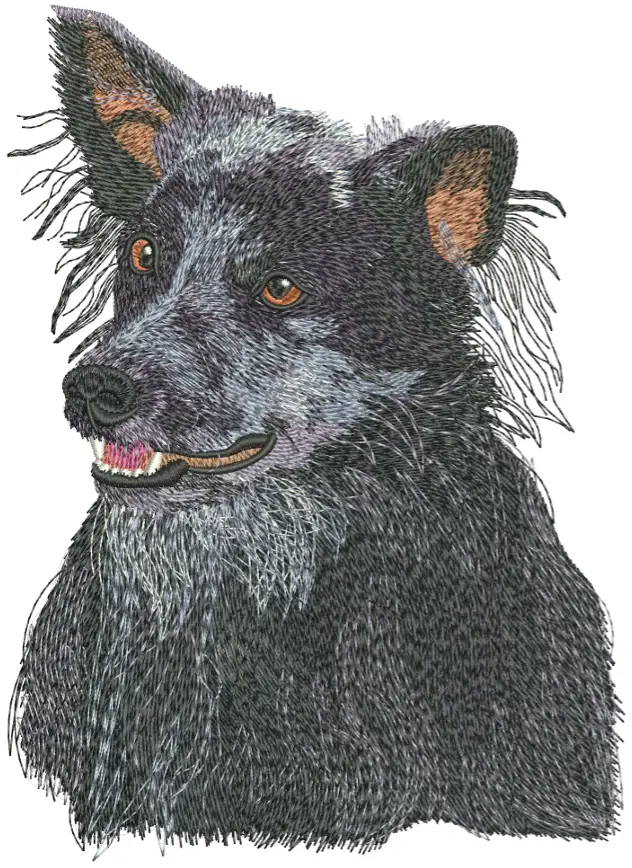
Buying embroidery software does not mean you have to digitize every design yourself. Both DIY and professional digitizing offer benefits, depending on your budget, skills, and workload.
DIY Embroidery Digitizing
Digitizing your own designs gives you more creative control and the freedom to make changes anytime. It may also reduce long-term costs if you create new designs regularly.
However, you need to invest in software, training, and practice. Learning stitch density, underlay, pull compensation, and stitch direction takes time. Mistakes may also lead to wasted materials and production delays.
Professional Embroidery Digitizing
Hiring experienced digitizers eliminates the need to purchase expensive digitizing software. You also benefit from expert stitch planning based on your fabric, design size, and garment type.
Moreover, outsourcing saves time and allows you to focus on customer orders and business growth.
For occasional logos or complex designs, consider hiring skilled manual digitizing experts. Contact Digitizing Buddy today and get machine ready files tailored to your embroidery projects without the cost and learning curve of advanced software.
Choosing Embroidery Software for Your Small Business
The right software should match your daily orders, budget, and production needs. You do not need the most expensive program to run a successful embroidery business.
Best Software for Different Business Tasks
- Employee names and uniforms: SewWhat-Pro or Embrilliance Essentials.
- Personalized gifts and monograms: Embrilliance Essentials or Hatch Personalizer.
- Original appliqué designs: StitchArtist or Hatch Digitizer.
- Regular custom logo digitizing: StitchArtist Level 2 or above, or Hatch Digitizer.
- Editing files and outsourcing new designs: SewWhat-Pro or Embrilliance Essentials.
Ultimately, choose software that supports your current workload and offers room for future business growth.
Final Verdict
The best embroidery software depends on your skills, budget, and project needs. SewWhat-Pro offers affordable editing tools, while Embrilliance provides flexible customization and options to add more features. Meanwhile, Hatch is a strong choice for advanced design creation and manual digitizing.
Before investing, consider your computer’s operating system, daily embroidery tasks, and future business goals. Remember, buying expensive software does not guarantee better embroidery results.
At Digitizing Buddy, our experienced digitizers turn your artwork manually into stitch ready files tailored to your projects. Request a FREE quote today!
FAQs
Embrilliance offers more customization tools, native Mac support, and optional digitizing modules. However, SewWhat-Pro is a more affordable choice for basic design editing and personalization.
No, SewWhat-Pro mainly edits existing embroidery files. You need separate digitizing software or a professional digitizer to turn JPG artwork into machine-ready stitches.
No, StitchArtist works independently. However, you need Essentials if you want its additional lettering, design merging, and customization tools.
Hatch is worth considering if you regularly create original embroidery designs or need advanced stitch controls. For basic editing, more affordable software may offer better value.
Embrilliance is the best choice among these three programs for Mac users because it runs natively on macOS without requiring Windows or additional compatibility software.