

| Quick Summary |
|---|
Choose embroidery software by skill, budget, machine format, and editing needs.
|
The demand for high-quality embroidery digitizing is higher than ever, as businesses and individuals seek precision, efficiency, and creativity in their embroidery projects. Whether you’re a professional digitizer, a small business owner, or a hobbyist, the right embroidery digitizing software can significantly impact your workflow and design quality. With evolving trends in machine embroidery, investing in the best software is essential for producing flawless stitch designs.
Embroidery digitizing software has come a long way, incorporating AI-powered automation, enhanced stitch control, and seamless machine compatibility. Modern software offers advanced auto-digitizing, vector support, and 3D embroidery effects, making complex designs easier to achieve. Whether you need user-friendly software for quick edits or high-end professional tools for intricate manual digitizing, there is a wide range of options.
In this blog, we’ll explore the best embroidery digitizing software, comparing their features, ease of use, pricing, and suitability for different embroidery needs. Whether you’re looking for budget-friendly options or industry-leading software, this guide will help you make an informed decision.
Key Features to Look for in Embroidery Digitizing Software
Choosing the right embroidery digitizing software requires careful evaluation of its features. The best software should offer a balance of ease of use, precision, compatibility, and affordability. Below are the key features to consider before making a decision.
Ease of Use & Interface
A well-designed user interface makes embroidery digitizing smooth and efficient. Beginner-friendly software includes drag-and-drop tools, simple navigation, and guided tutorials, while professional-grade software offers advanced customization and manual digitizing controls. Some programs provide customizable workspaces to enhance workflow efficiency for experienced users.
Auto-Digitizing vs. Manual Digitizing
Auto-digitizing converts images into embroidery designs instantly, making it ideal for beginners and quick projects. However, it often lacks the precision of manual digitizing, which allows users to adjust stitch direction, density, and underlay for more detailed and high-quality embroidery. The best software combines both options, giving users flexibility in design creation.
Vector Support & Image Conversion
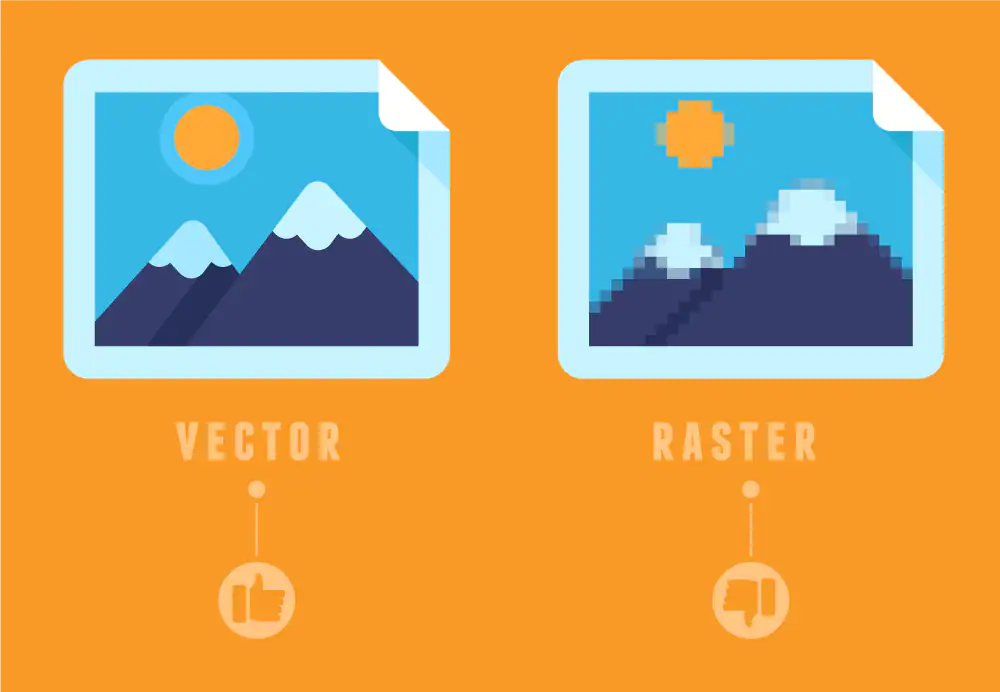
High-quality digitizing software should efficiently convert JPG, PNG, and SVG images into embroidery-ready files. Advanced programs include vector support, ensuring smooth and scalable designs without pixelation. This feature is essential for logos and intricate patterns that require precise detailing.
Editing Tools & Stitch Control
A strong set of editing tools allows for precise control over stitch angles, densities, and layering. Look for software that offers node editing, stitch-by-stitch customization, and real-time previews to refine designs before stitching. The ability to tweak these settings ensures that designs maintain their structure and texture on different fabrics.
Compatibility & File Formats
Embroidery machines require specific file formats, so software should support common ones like DST, PES, EMB, JEF, EXP, VP3, and XXX. Versatile software should allow easy file conversion and exporting, ensuring smooth integration with various embroidery machines.
Font & Lettering Features

Lettering is a key part of embroidery, especially for monograms, branding, and custom text designs. The best software includes built-in fonts, custom font digitizing, and adjustable spacing and sizing options. Some programs also support curved and 3D lettering for added creativity.
3D Puff & Specialty Effects
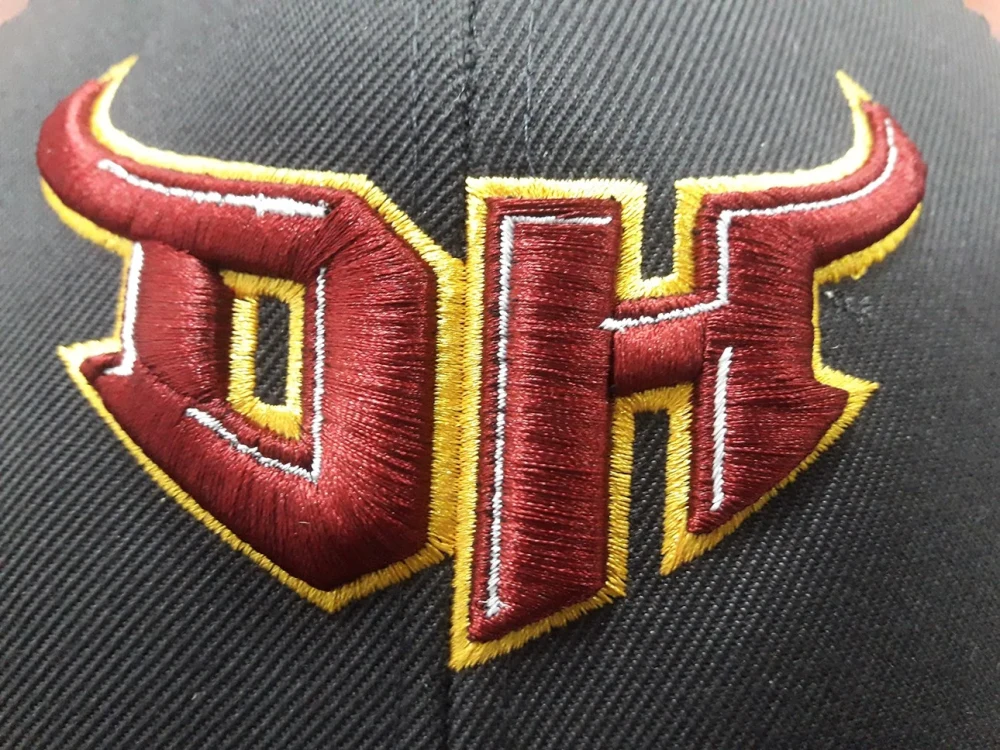
For businesses creating puff embroidery, textured stitches, or applique designs, software with 3D foam support and specialty stitch effects is a must. This feature helps in designing raised embroidery, which is commonly used for caps, jackets, and fashion accessories.
Pricing & Licensing
Embroidery software pricing varies from one-time purchases to subscription-based models. Some high-end programs require a significant upfront investment, while others offer affordable monthly plans. Choosing the right option depends on budget, frequency of use, and required features. Many providers offer free trials, allowing users to test the software before committing.
Top Embroidery Digitizing Software—Features & Comparisons
This section will provide a detailed comparison of the top embroidery digitizing software. Each software will be analyzed based on its features, strengths, weaknesses, and ideal user base. The goal is to help readers identify the best software for their needs, whether they are professionals, hobbyists, or business owners.
1. Wilcom Embroidery Studio E4

Best for: Professionals and commercial businesses
- Features:
Wilcom Embroidery Studio E4 is the industry-leading embroidery digitizing software. It offers advanced stitch effects, precision editing, powerful auto-digitizing, and professional lettering tools. It is widely used in large-scale embroidery production. - Pros:
- Powerful manual digitizing tools
- Extensive stitch effects and customization
- Supports vector-based designs
- Cons:
- Expensive, making it less accessible for small businesses
- Steep learning curve, requiring professional training
- Who should use it?
- Professional digitizers and embroidery businesses that require high-quality, scalable embroidery solutions.
2. Embroidery Legacy

Best for: Hobbyists and small embroidery businesses
- Features:
Embroidery Legacy’s embroidery digitizing software combines full manual digitizing and editing tools with new artwork-based features and a streamlined interface designed to make digitizing easier to learn and use. - Pros:
- Clean, user-friendly interface
- Artwork-based tools that simplify digitizing
- Full manual digitizing and editing tools
- Advanced stitch controls
- 200+ embroidery fonts
- Quick SVG and FCM artwork to stitch conversion
- Digitizing training from award-winning digitizer John Deer
- Free demo available
- Cons:
- Higher upfront investment than basic or entry-level embroidery programs
- Who should use it?
- Hobbyists and small embroidery businesses that want professional digitizing capabilities, strong creative control, and an easier-to-use creative environment.
3. Hatch Embroidery

Best for: Beginners and learners
- Features:
Hatch Embroidery 4 is developed by Wilcom and designed for beginners, learners, and users who want a simpler way to create embroidery designs. It has an easy-to-use interface, auto-digitizing features, editing tools, and a strong font library for lettering and monogramming. It gives users a more guided workflow without the complexity of full commercial digitizing software. - Pros:
- Affordable compared to Wilcom Studio
- Beginner-friendly with a modern interface
- Good editing tools for customization
- Cons:
- Lacks some high-end manual digitizing features found in professional software
- Who should use it?
- Beginners, learners, and casual embroidery users who want a budget-friendly digitizing tool with guided features, auto-digitizing, lettering options, and enough editing control for everyday embroidery projects.
4. Brother PE-Design 11
Best for: Brother embroidery machine users
- Features:
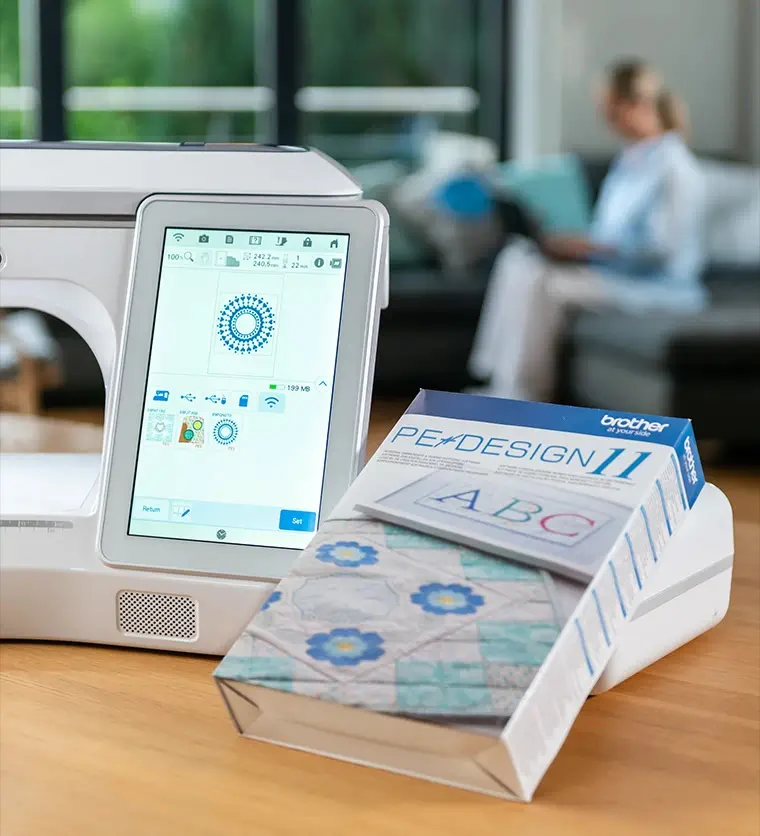
Brother PE-Design 11 offers both auto and manual digitizing tools, along with pre-installed templates and USB file transfer capabilities. It’s optimized for Brother embroidery machines, making it a great option for Brother users. - Pros:
- Beginner-friendly with a straightforward interface
- Comes with pre-installed embroidery designs
- Good lettering and monogramming options
- Cons:
- Limited professional-grade customization
- Primarily designed for Brother machines, reducing flexibility for other brands
- Who should use it?
- Beginners and Brother embroidery machine owners looking for easy-to-use digitizing software with built-in designs.
5. Chroma (By Ricoma)
Best for: Ricoma embroidery machine users
- Features:
Chroma, developed by Ricoma, is an AI-powered auto-digitizing software with manual stitch control, cloud storage, and machine integration. - Pros:
- Seamless integration with Ricoma embroidery machines
- Beginner-friendly with an intuitive design
- Cons:
- Lacks advanced manual digitizing tools needed for professional designs
- Who should use it?
- Ricoma machine users and small businesses looking for easy, integrated digitizing software.
6. Embird Studio
Best for: Budget-conscious digitizers
- Features:
Embird Studio is an affordable, modular software that allows users to purchase add-on features as needed. It also includes vector-to-stitch conversion, making it a versatile option. - Pros:
- Budget-friendly with a modular pricing structure
- Good for beginners learning digitizing
- Cons:
- Lacks some advanced tools found in high-end software
- Interface is slightly outdated compared to modern options
- Who should use it?
- Beginners and small businesses looking for an affordable embroidery digitizing solution.
7. Ink/Stitch (Free & Open Source)
Best for: Hobbyists and beginners learning embroidery digitizing
- Features:
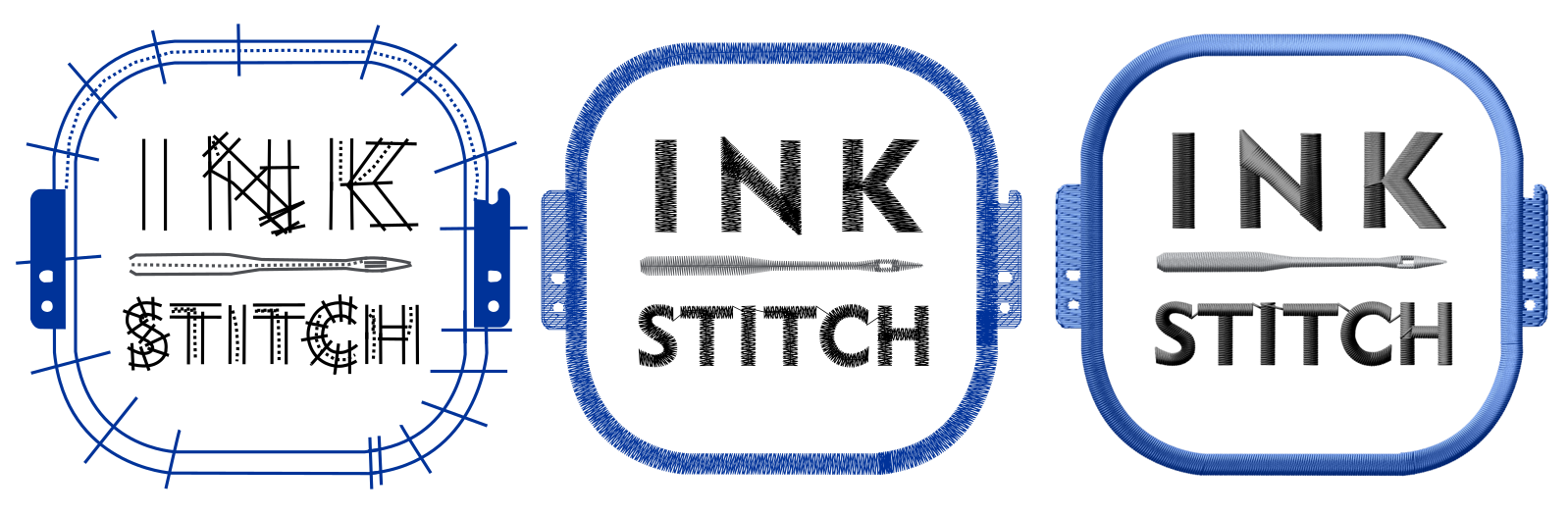
Ink/Stitch is a free, open-source embroidery digitizing software that works within Inkscape. It offers manual pathing, custom fill stitch options, and basic digitizing tools. - Pros:
- Completely free
- Open-source with community-driven updates
- Great for learning the basics of embroidery digitizing
- Cons:
- No built-in auto-digitizing
- Steep learning curve due to manual processes
- Who should use it?
- Hobbyists and beginners who want to learn digitizing without spending money on commercial software.
8. Sierra Embroidery Office

Best for: Advanced commercial embroidery businesses
- Features:
Sierra Embroidery Office is a high-end commercial embroidery software designed for large-scale embroidery businesses. It supports multi-head embroidery machines, complex design capabilities, and advanced auto-digitizing tools. - Pros:
- Extensive professional features
- Ideal for large-scale production
- Supports multi-head embroidery
- Cons:
- High price, making it less suitable for small businesses
- Requires training to fully utilize its advanced features
- Who should use it?
- Large-scale embroidery businesses and professional digitizers who require industrial-level software.
Best Embroidery Digitizing Software for Different Needs

With so many embroidery digitizing software options available, choosing the right one depends on your skill level, business size, and budget. Below is a breakdown of the best software based on different user needs.
1. Best for Beginners: Hatch Embroidery 4, Brother PE-Design 11, Embroidery Legacy
- You’re just starting with embroidery digitizing; Hatch Embroidery 4 and Brother PE-Design 11 are great options.
- Hatch is user-friendly, with drag-and-drop tools, auto-digitizing, and an intuitive interface.
- Brother PE-Design 11 is ideal for Brother machine users, offering pre-installed templates and simple digitizing features.
- Embroidery Legacy is especially worth considering for beginners because its streamlined approach simplifies the digitizing process. It combines a cleaner interface with new stitch creation tools and easy-to-understand education that teaches both the software and the theory behind creating quality embroidery designs.
2. Best for Advanced Digitizers: Wilcom Embroidery Studio E4, Sierra Embroidery Office
- Professionals who need advanced manual digitizing tools should choose Wilcom Embroiderytudio E4 or Sierra Embroidery Office.
- Wilcom offers industry-leading precision, complex stitch effects, and vector support, making it the best choice for experts.
- Sierra Embroidery Office is ideal for large-scale embroidery businesses needing multi-head machine support and advanced design capabilities.
3. Best Free Option: Ink/Stitch
- Ink/Stitch is a free, open-source embroidery digitizing software that works within Inkscape.
- It’s perfect for hobbyists and beginners who want to learn digitizing without investing in paid software.
- While it lacks auto-digitizing features, it offers manual pathing and custom stitch controls.
4. Best for Home Businesses: Embroidery Legacy, Chroma, Hatch Embroidery 4
- Embroidery Legacy is a strong choice for home-based and small embroidery businesses that want more control over custom work, with manual digitizing tools, detailed stitch editing, broad machine compatibility, 200+ fonts, and training.
- Chroma (by Ricoma) is great for Ricoma machine users, offering AI-powered auto-digitizing and cloud storage.
- Hatch Embroidery 4 is another excellent choice for small businesses, providing affordable pricing, auto-digitizing, and great font options.
5. Best for Large-Scale Commercial Use: Wilcom, Sierra Embroidery Office
- Large-scale embroidery businesses require high-performance digitizing software with scalability and automation.
- Wilcom Embroidery Studio E4 is the gold standard for commercial embroidery, offering precise manual digitizing and extensive stitch libraries.
- Sierra Embroidery Office supports multi-head embroidery machines, making it perfect for mass production and large embroidery businesses.
6. Best Budget-Friendly Choice: Embird Studio
- Embird Studio is one of the most affordable embroidery digitizing software available.
- It offers a modular pricing system, meaning users can purchase only the features they need.
- While it lacks some advanced tools, it’s a great entry-level choice for budget-conscious users and beginners.
Choosing the Right Embroidery Digitizing Software for Your Needs
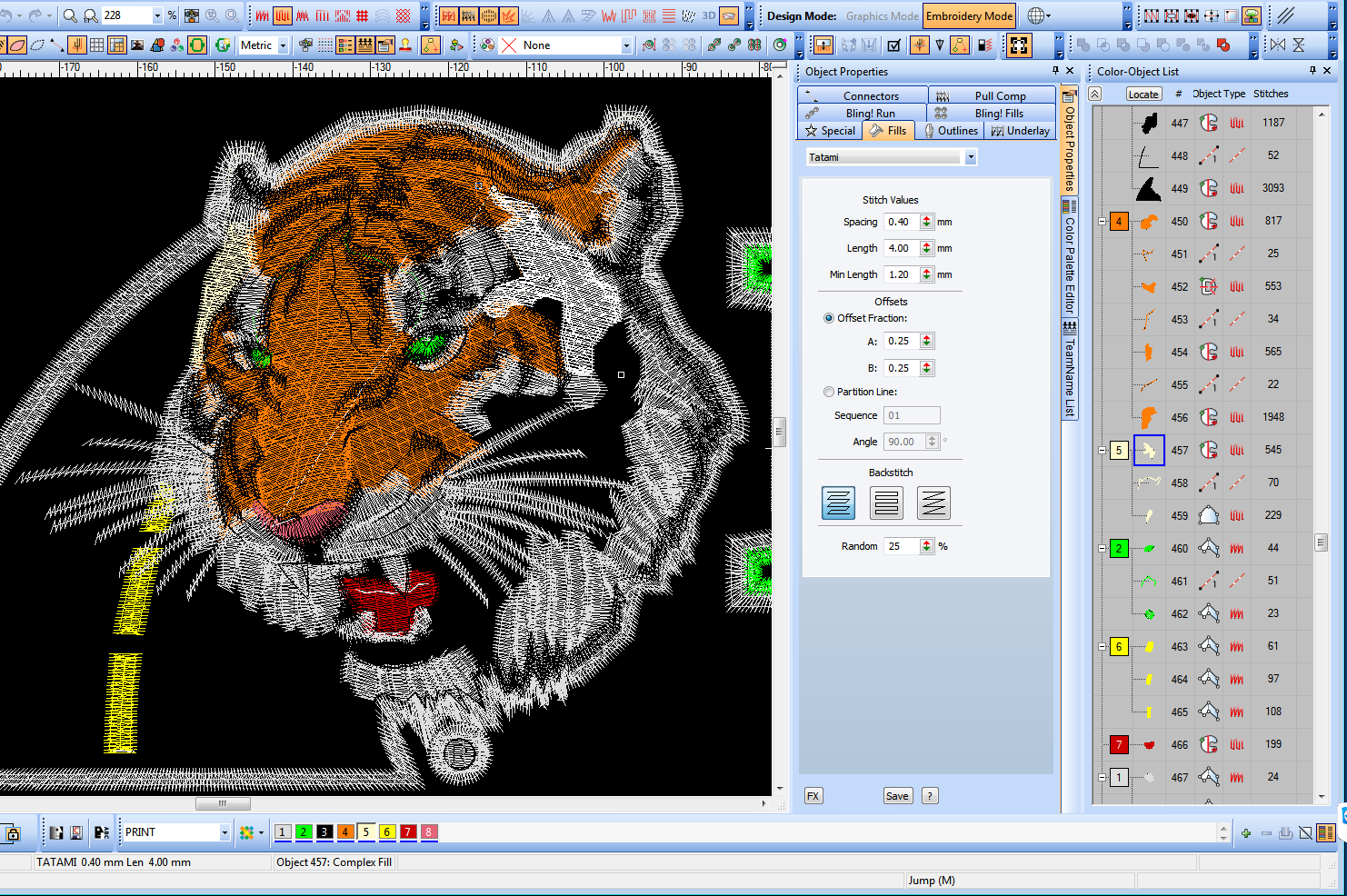
Selecting the right embroidery digitizing software requires careful consideration of your budget, skill level, machine compatibility, and required features. Not all software is suited for every user, so understanding what you need will help you make the best decision.
1. Factors to Consider
Before purchasing software, evaluate:
- Budget: Some software is expensive (Wilcom, Sierra), while others are affordable (Embird, Hatch).
- Skill Level: Beginners should choose user-friendly software like Hatch, while professionals may need advanced tools like Wilcom.
- Machine Compatibility: Ensure the software supports your embroidery machine’s file formats (DST, PES, JEF, etc.).
- Required Features: Do you need auto-digitizing, manual editing, vector support, or 3D puff embroidery? Choose software accordingly.
2. Trial Versions & Demos
Many software providers offer free trials or demos. Testing the software before purchase allows you to:
- Understand ease of use
- Check feature compatibility
- Determine if it meets your business needs
3. Customer Support & Training
Embroidery digitizing requires practice, so software with strong customer support and training resources is valuable. Embroidery Legacy, Wilcom, and Hatch offer video tutorials, training courses, and other educational resources for better learning.
4. Scalability
If you’re starting small but plan to expand, choose software that grows with your business. Wilcom, Sierra, and Chroma offer advanced features that support large-scale production when needed.

Conclusion
Choosing the best embroidery digitizing software depends on your skill level, business size, budget, and editing needs. Beginners may prefer Hatch Embroidery 4 or Brother PE-Design 11 for a simpler start. Hobbyists and small embroidery businesses may choose Embroidery Legacy for its manual tools, artwork-based features, fonts, training, and free demo. Meanwhile, Wilcom Embroidery Studio E4 and Sierra Embroidery Office offer advanced tools for professional and large-scale production. Embird Studio can also be a solid budget-friendly choice.
Before investing, take advantage of free trials and demo versions to find the best fit for your workflow. If you want high-quality embroidery digitizing services without the hassle of handling software yourself, Digitizing Buddy is here to help! Get professional embroidery digitizing at affordable rates with fast turnaround times. Try Digitizing Buddy today and take your embroidery to the next level!
FAQs
The best embroidery digitizing software depends on your skill level, budget, machine format, and editing needs. Beginners may prefer Hatch or PE-Design, while professionals often choose Wilcom or Sierra. Hobbyists and small shops may also consider Embroidery Legacy.
Hatch Embroidery 4, Brother PE-Design 11, and Ink/Stitch are good options for beginners. They offer simpler tools, guided workflows, or free access for users who want to practice digitizing before buying advanced software.
Yes, Embroidery Legacy can fit hobbyists and small embroidery businesses because it offers manual digitizing, artwork-based tools, advanced stitch controls, 200+ fonts, SVG and FCM conversion, training, and a free demo.
Look for file format support, stitch editing, auto-digitizing, manual controls, lettering tools, vector support, 3D puff options, training, customer support, and pricing. The right features depend on whether you create simple designs or production-ready embroidery files.
Free software like Ink/Stitch can help beginners learn basic digitizing without upfront cost. However, it may require more manual work and practice. Paid tools usually offer easier workflows, better support, advanced editing, and more production features.