
| Quick Summary |
|---|
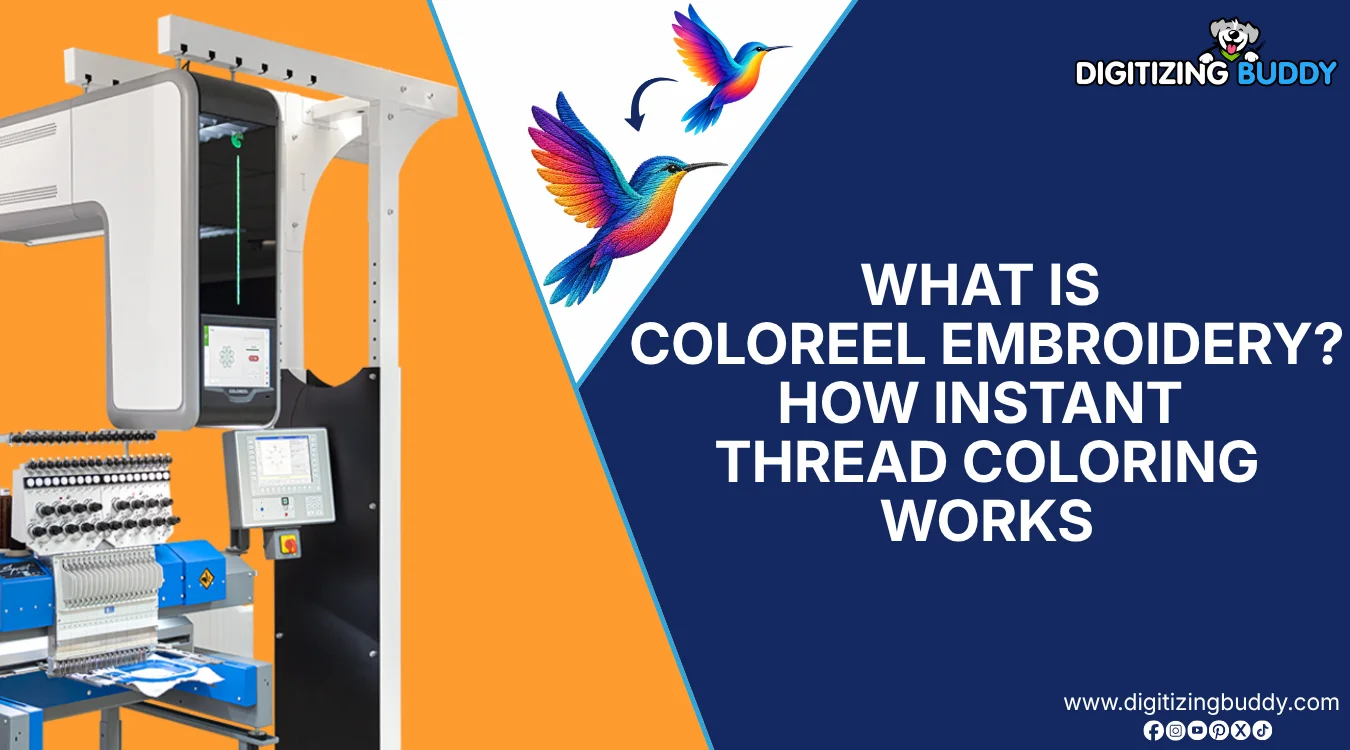
Coloreel technology adds real-time color control to machine embroidery.
|
Coloreel uses digital technology to color thread directly during embroidery. Instead of switching between many cones of pre-colored thread, the system feeds white thread through the Coloreel unit and colors it on demand as the machine stitches. This process creates multiple colors, smooth gradients, and detailed color transitions with a single thread.
However, this process still needs the right setup. The design must be digitized, planned, and tested so the colors flow cleanly on fabric.
This guide explains how it works, how it is different from regular embroidery, when it helps, and what shops should know before using it. For shops chasing a cleaner first sample, professional embroidery file preparation gives the artwork a stronger start.
- Quick Answer: What Is Coloreel?
- How Does Coloreel Embroidery Work?
- What Equipment Do You Need for Coloreel?
- How Is It Different From Traditional Embroidery?
- What Designs Work Best With Coloreel?
- Is This Coloreel, Sublimation, or Special Digitizing?
- Does Coloreel Workflow Need Specialized Digitizing?
- Is Coloreel Too Expensive for Small Embroidery Shops?
- Final Thoughts
Quick Answer: What Is Coloreel?
Coloreel is a digital thread-coloring system for industrial embroidery machines. It dyes white thread in real time while the machine stitches the design.
What it helps with:
- Smooth gradients
- Many color shades
- Fewer thread changes
- Custom color effects
However, the design still needs proper digitizing, stitch planning, and color setup before production.
How Does Coloreel Embroidery Work?
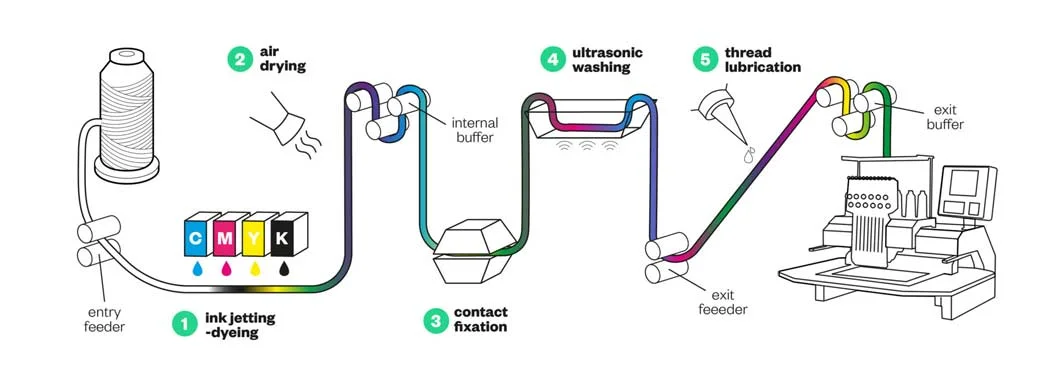
The real difference begins after digitizing. In a Coloreel workflow, the stitch path and color path must work together, so each shade change lands cleanly while the design is sewing.
Basic Workflow
The process usually moves like this:
- Digitize the artwork into stitch data
- Prepare the file for the embroidery machine
- Open the design in Coloreel Studio
- Add colors, gradients, effects, or color libraries
- Send the stitch file to the machine
- Send the color file to the Coloreel unit
Then, the unit dyes the white thread as it feeds into the machine. The machine stitches the design while the thread changes color in real time.
Why “One Thread, One Needle” Matters
In a standard multicolor embroidery design, the machine may switch between several needles loaded with different colored threads. With Coloreel, one white thread can change color continuously before it reaches the needle.
This means many color changes can happen without switching to another thread cone. It also helps reduce needle-head switches and thread changes in color-rich designs.
What Coloreel Does Not Do
Coloreel does not:
- Print the design directly onto the garment
- Replace the embroidery machine
- Automatically digitize artwork into perfect embroidery
- Remove the need for stitch planning
- Turn every artwork into a good embroidery design
Setup Points That Matter
The setup should match the machine, thread tension, design size, and stitch path. Also, color transitions need careful planning so gradients land in the right place on fabric.
Watch this short Coloreel video to see how one white thread changes into smooth colors while the machine stitches the design.
What Equipment Do You Need for Coloreel?
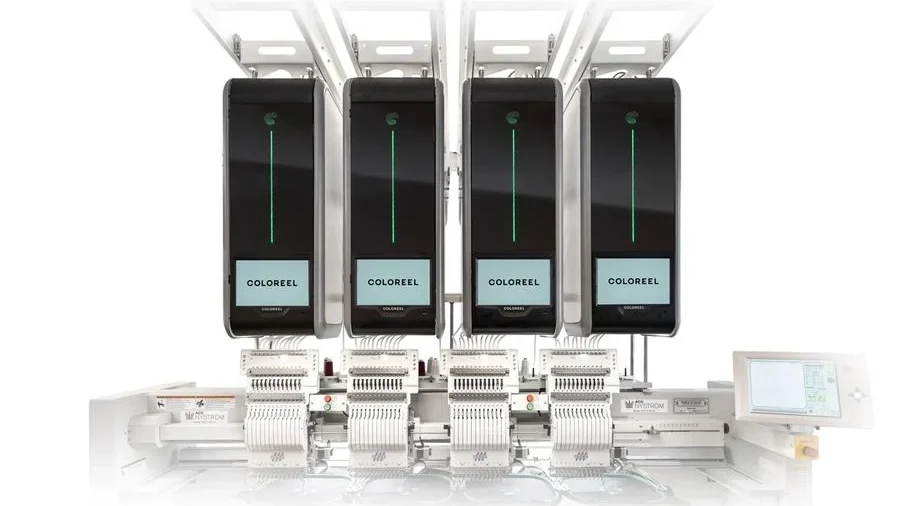
Coloreel does not replace the embroidery machine. It works alongside it.
A typical setup includes:
- A compatible industrial embroidery machine
- The Coloreel instant thread-coloring unit
- White embroidery thread
- Coloreel inks and consumables
- Coloreel Studio for color preparation
- A digitized embroidery file
Coloreel system can work with modern single-head and multi-head industrial embroidery machines from different manufacturers.
How Is It Different From Traditional Embroidery?
Traditional machine embroidery uses pre-dyed thread cones. Each color already exists on a spool. The machine either switches needles or stops when the design needs a new shade.
However, Coloreel uses one white base thread and colors it during production. This helps make smooth color fades, soft shadows, blended colors, and custom effects without using many thread cones.
Main Differences
- Traditional embroidery uses ready-made thread colors
- Coloreel colors the thread while the design stitches
- Standard designs often need more thread changes
- Coloreel can create smoother color movement
- Both methods still need proper digitizing
Still, this technology does not replace stitch planning. It changes how color works. For digitizers, the main job is to control the thread path, plan the stitch order, and hide color changes in underlay stitches when needed.
Can Coloreel Reduce Thread Waste?
Coloreel can help reduce thread waste because it uses one white thread instead of many colored thread cones. Shops may need fewer leftover spools, fewer thread changes, and less unused thread from colors they do not use often.
It may also reduce chemical use linked to traditional thread dyeing because the thread gets colored only when needed. However, shops should still consider ink use, supplies, machine care, and production volume.
Quick Comparison
| Feature | Traditional Embroidery | Coloreel Workflow |
|---|---|---|
| Thread colors | Pre-dyed cones | White thread dyed in real time |
| Gradients | Harder to create | Easier and smoother |
| Setup | More thread changes | Fewer thread changes |
| Best use | Solid colors, standard logos | Gradients, personalization, fashion, brand color matching |
What Designs Work Best With Coloreel?
Coloreel works best when a design needs more color movement than standard thread changes can easily create. It is a strong fit for artwork with gradients, shadows, soft blends, and small color shifts.
However, smooth color changes look better when the stitch direction supports the artwork.
Best Design Types
- Gradient logos
- Fashion artwork
- Sportswear graphics
- Streetwear designs
- Personalized names or numbers
- Tonal artwork
- Textures, stripes, and shadow effects
Coloreel also fits on-demand production, profile wear, fashion, sportswear, and workwear. In addition, it can help brands match artwork colors using RGB, HEX, Lab, or Pantone references before production.
Is This Coloreel, Sublimation, or Special Digitizing?
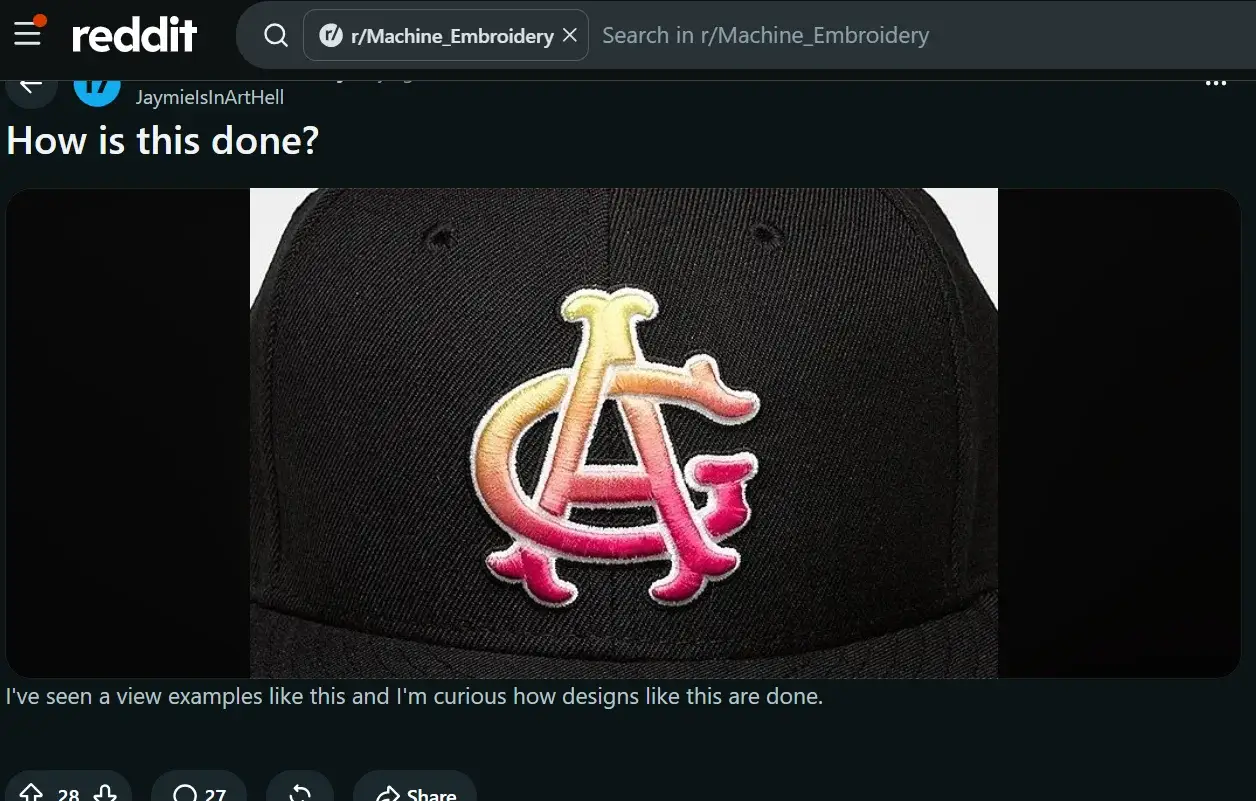
A Reddit user shared a cap with a smooth gradient logo and asked, “How is this done?” That question makes sense because the result can look like embroidery, printing, or sublimation at first glance.
How to Tell the Difference
Each method creates color in a different way:
- Coloreel adds color to the thread before the thread reaches the needle
- Sublimation uses heat to press printed dye into polyester fabric
- Regular gradient embroidery uses different thread colors and stitch angles to create a blended look
However, the final method depends on the artwork, fabric, order size, budget, and machine setup.
For clean results, the digitizer must plan how the colors move across the logo. A gradient may look simple, but poor stitch direction or density can make the final design look uneven.
Does Coloreel Workflow Need Specialized Digitizing?
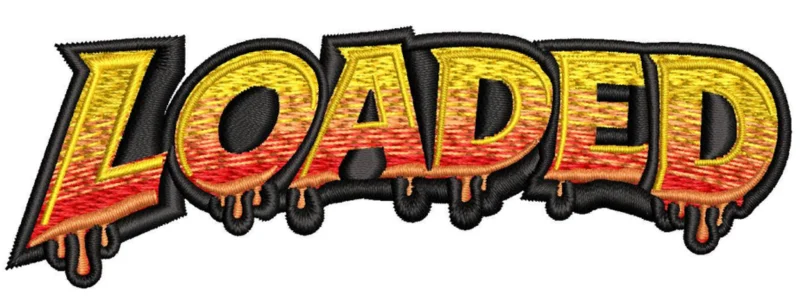
Yes, the Coloreel workflow needs specialized embroidery digitizing because the stitch path and color path must work together. The system adds creative color freedom, but the embroidery file still controls how the design sews on fabric.
Why Standard Digitizing Is Not Enough
A digitizer must plan:
- Stitch type
- Stitch direction
- Density
- Underlay
- Stitch order
- Trims
- Gradient flow
However, auto digitizing can miss these details. It may create rough fills, weak small text, extra trims, thread breaks, or color changes that land in the wrong spot.
The design needs careful color changes, smooth gradients, readable lettering, good stitch direction, and clean start and stop points. In some areas, regular thread may also work better with Coloreel thread.
So, special digitizing helps the colors follow the stitches before sewing starts. Digitizing Buddy can check your artwork and make a stitch-ready file for this color-focused embroidery process.
Is Coloreel Too Expensive for Small Embroidery Shops?
For many small embroidery shops, Coloreel can feel expensive. The cost is not only the unit. A shop may also need setup support, training, software access, ink, special thread, maintenance, and extra testing time.
When the Cost Makes Sense
This type of system can offer value when a shop handles:
- High-color designs
- Short custom runs
- On-demand orders
- Fashion or sportswear work
- Premium gradient effects
However, the return depends on steady demand. A small shop with basic logo orders may not use the machine enough to cover the cost quickly.
Leasing, financing, or using a production partner may make more sense for smaller businesses. In many cases, Coloreel fits larger shops, branded apparel producers, and businesses that can charge more for advanced color work.
Final Thoughts
Coloreel technology gives embroidery shops a new way to create gradients, soft color blends, custom shades, and detailed effects. However, it still depends on clean artwork, smart stitch planning, proper setup, and realistic cost planning.
It can work well for fashion, sportswear, workwear, and premium custom designs. Still, it may not fit every small shop or every simple logo.
For smoother production results, let Digitizing Buddy prepare your artwork with careful embroidery digitizing. Get a free quote and start with a file built for better stitching.
Frequently Asked Questions
Coloreel can help create photo-like color effects, especially in designs with smooth shading and soft blends. Still, the final result depends on the artwork, design size, fabric, stitch direction, and how well the file is planned.
A Coloreel design usually needs a stitch file for the embroidery machine and a color file for the Coloreel unit. The stitch path and color plan must match, so the thread changes at the right time during sewing.
Gradients can look different because thread reflects light, fabric affects color, and stitch direction changes how shades appear. Also, screen colors do not always match stitched colors exactly, so test sew-outs matter.
Yes, it can be used for caps and other products, but curved surfaces need careful planning. The digitizer must control density, stitch angle, pull, and placement so the design does not distort while stitching.
Businesses that sell custom fashion, sportswear, branded apparel, limited-edition products, and premium gradient designs may benefit most. Shops with mostly simple one-color or two-color logos may not need this advanced color workflow.