
| Quick Summary |
|---|
AI can support embroidery digitizing, but skilled manual control still gives better production results.
|
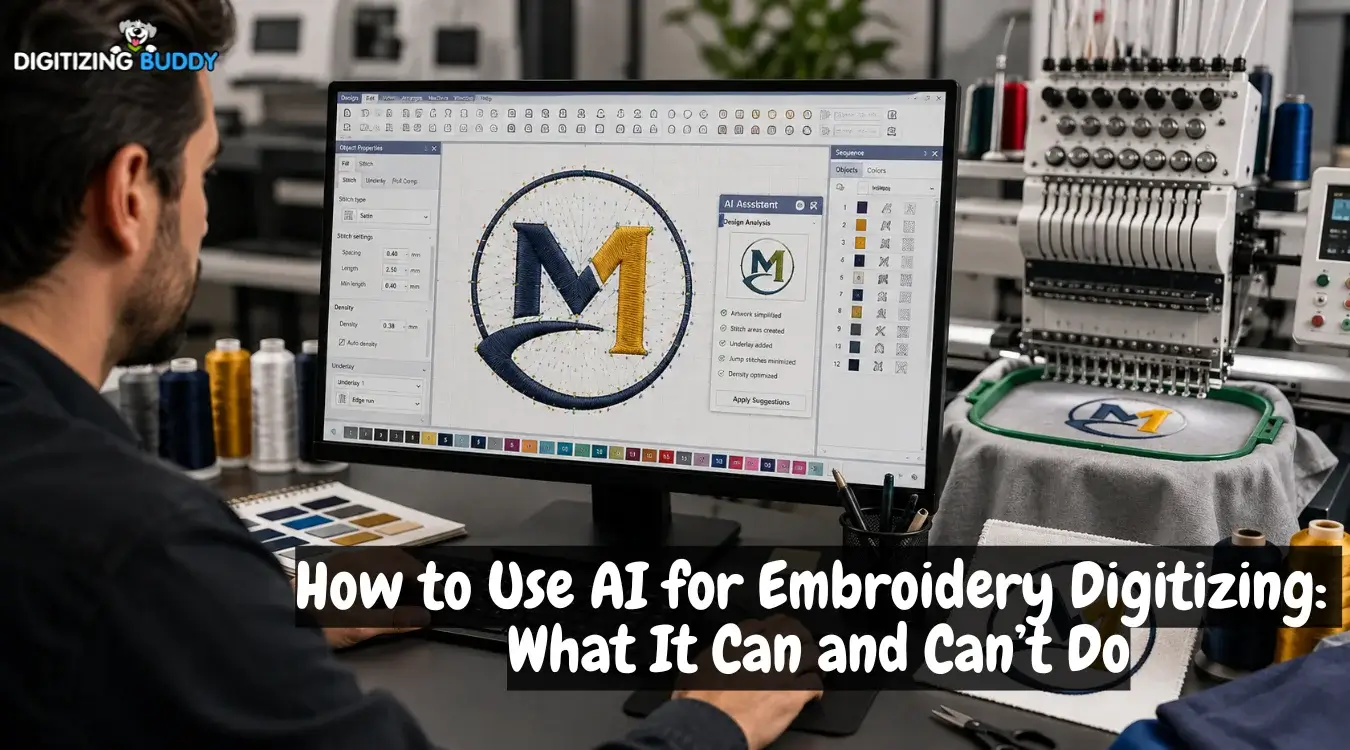
AI tools can now analyze artwork, detect shapes, create stitch areas, and generate embroidery files in less time. However, embroidery digitizing involves much more than turning an image into stitches. The design must also control density, underlay, stitch direction, sequencing, trims, and fabric movement.
Still, automatic results often need skilled adjustments before production. When stitch quality matters, working with an experienced embroidery digitizing service can help create a cleaner, more reliable file that is better prepared for the final stitch-out.
- Quick Answer: Can You Use AI for Embroidery Digitizing?
- What Does AI Actually Do in Embroidery Digitizing?
- How Can You Use AI for Digitizing Embroidery Designs?
- Can AI Fully Automate Embroidery Digitizing in 2026?
- Why Does AI Embroidery Digitizing Still Produce Bad Results?
- Auto Digitizing vs. Manual Digitizing: Which Gives Better Results?
- Is AI Embroidery Digitizing Really Cheaper?
- When Is AI Actually Useful for Embroidery Digitizing?
- What Is the Best Workflow: AI-Assisted or Fully Manual Digitizing?
Quick Answer: Can You Use AI for Embroidery Digitizing?
Yes. AI can help prepare artwork, detect shapes, suggest stitch areas, and create a first-pass embroidery design. However, the file still needs human review before production.
What Still Needs Checking
- Stitch density and underlay
- Pathing and pull compensation
- Fine details and fabric behavior
- Final test stitching
What Does AI Actually Do in Embroidery Digitizing?
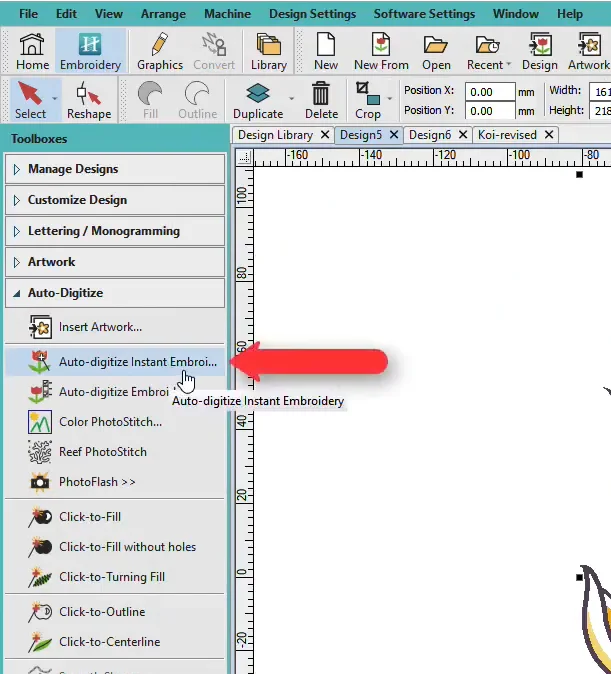
AI and auto-digitizing tools can speed up several basic tasks, but they do not make every production decision.
What AI Can Handle
These tools may:
- Detect colors and separate artwork areas
- Trace shapes and outlines
- Simplify colors
- Assign running, satin, or fill stitches
- Add basic underlay
- Estimate stitch count
- Create embroidery previews
- Export supported machine formats
Why Human Review Still Matters
However, generating stitches is not the same as planning a clean stitch-out. The file may still need better sequencing, fewer connectors, corrected underlay stitches, improved pathing, and other manual adjustments before production.
How Can You Use AI for Digitizing Embroidery Designs?
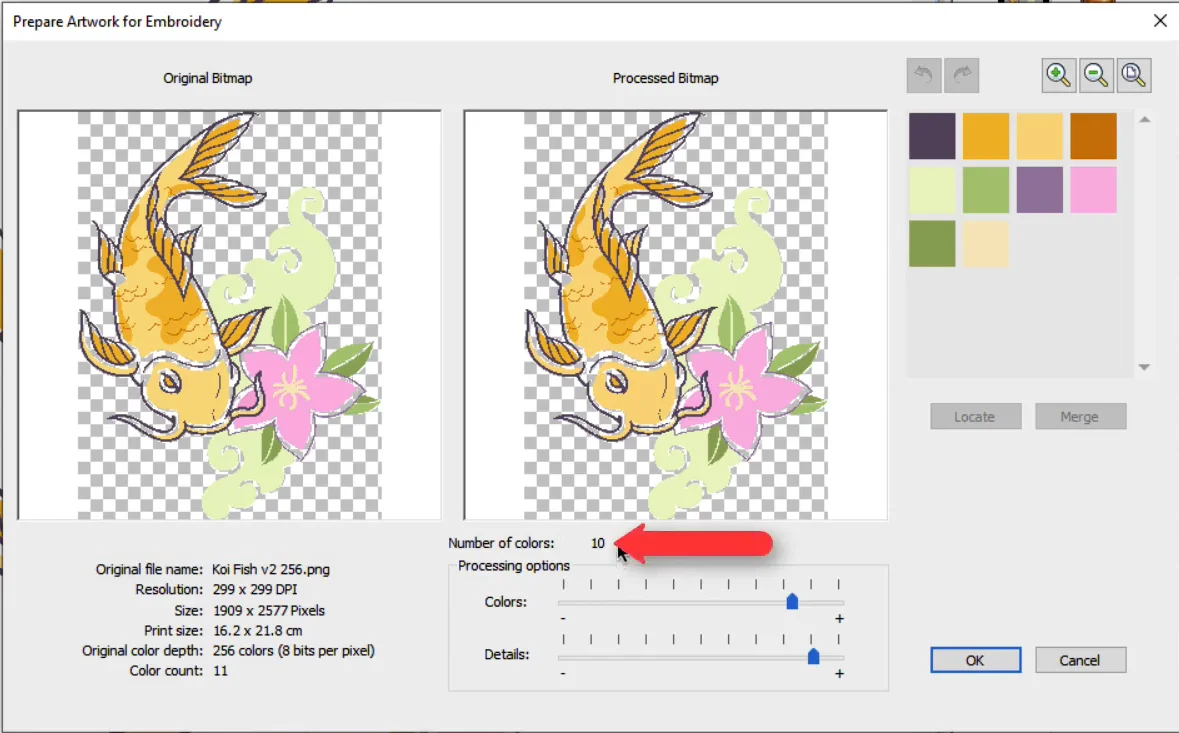
AI works best as a support tool rather than handling the full embroidery digitizing process. A careful workflow helps you use its speed without relying on every automatic decision.
1. Use AI to Simplify the Artwork
Start with clean, high-contrast artwork. AI can help:
- Remove backgrounds
- Reduce extra details
- Separate colors
- Clean rough edges
- Simplify complex shapes
Clear artwork usually gives auto-digitizing tools a better starting point.
2. Create a First-Pass Stitch Design
Then, let the software detect design areas and assign basic stitch types. It may choose running, satin, or fill stitches based on the artwork.
Treat this file as a starting point, not the final production design.
3. Manually Review the Stitch Settings
Before stitching, check important settings such as:
- Stitch type and direction
- Density and underlay
- Pull compensation
- Entry and exit points
- Jumps and trims
- Sewing sequence
These choices affect both appearance and fabric stability.
4. Run a Test Stitch
Finally, stitch a sample on similar fabric and stabilizer. An onscreen preview cannot fully show puckering, registration problems, thread behavior, or other issues that may appear during actual embroidery.
Can AI Fully Automate Embroidery Digitizing in 2026?
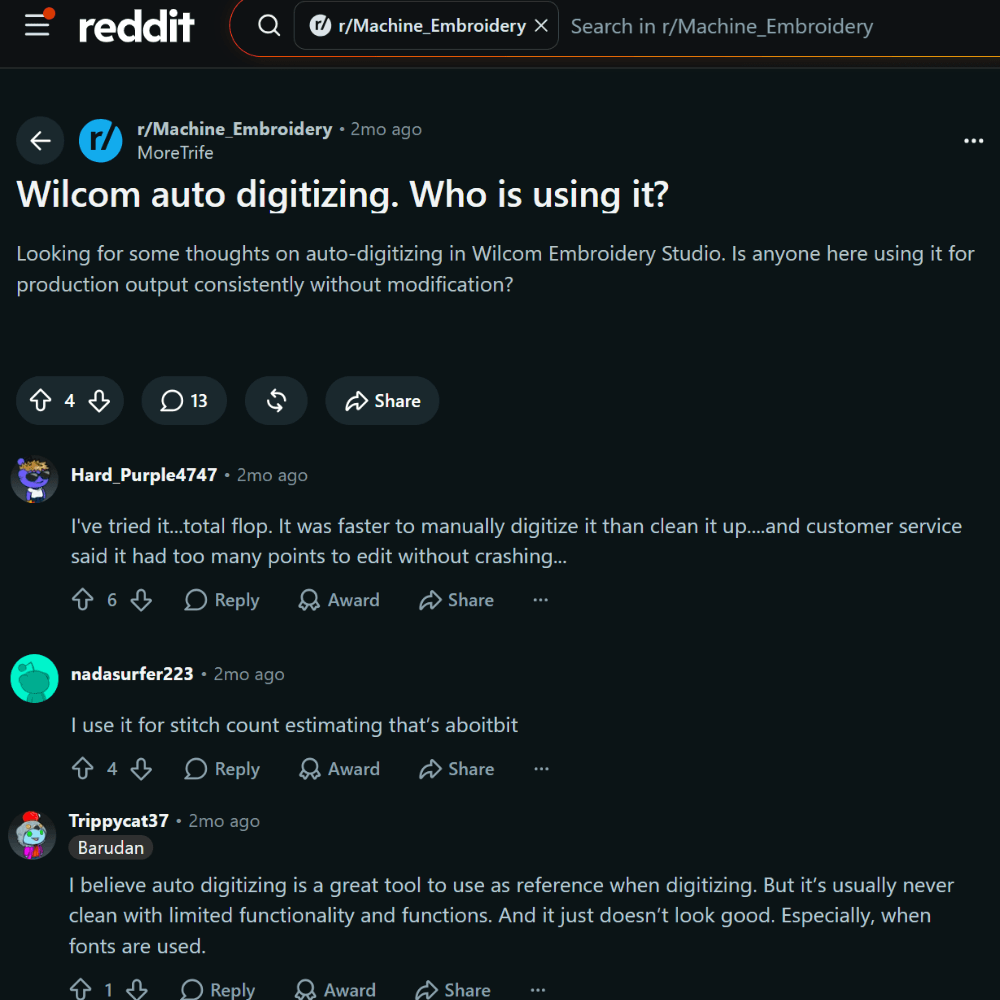
Not reliably for every production design. AI and auto-digitizing tools have improved, and simple artwork with clean shapes can sometimes produce usable stitch files quickly.
Where Human Control Still Matters
However, complex logos, small lettering, specialty embroidery, difficult fabrics, and high-value orders still need skilled review.
Current AI platform Figitize states that its generated files are not manually reviewed or tested and recommends a professional digitizer for complex production work.
Likewise, EmbroidAI tells users to review or adjust generated files and verify them before sewing or commercial use.
Why Does AI Embroidery Digitizing Still Produce Bad Results?
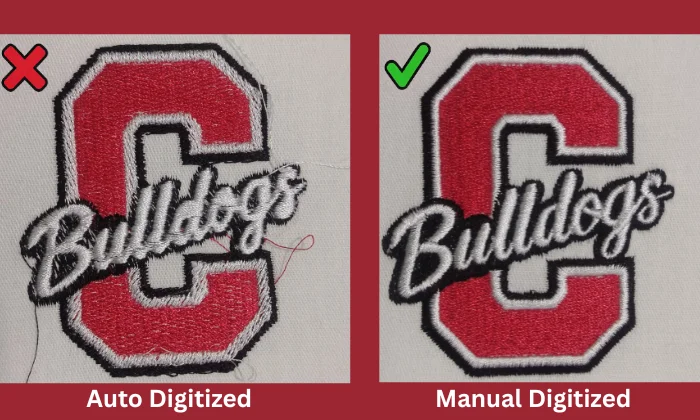
AI can recognize shapes and generate stitches quickly. However, good embroidery depends on physical factors software cannot always judge from artwork.
AI Does Not Always Understand Fabric Behavior
A design for twill may need different settings on a polo, fleece, stretchy knit, towel, denim, or structured cap. Fabric stretch and texture change how stitches pull and settle.
AI analyzes pixels and shapes, but the finished design must handle thread tension, fabric movement, and thousands of needle penetrations. Spacing, underlay, and pull compensation must suit the fabric and stitch setup.
AI Can Choose the Wrong Stitch Type or Direction
A narrow element may need satin, while fine details may work better with running stitches. Larger areas often need fill stitches.
Also, stitch angles affect texture and appearance. An automatic choice may work, but it may not be the best choice for the design.
Density and Underlay Are Not One Size Fits All
Too much density can create stiffness, puckering, thread breaks, and extra stitches. Too little can leave weak coverage.
Underlay also supports top stitches and helps control pulling and puckering.
AI Still Struggles With Small Details
Small lettering remains difficult because thread weight, needle size, density, spacing, fabric, and stitch type affect clarity. AI services warn that very small text, intricate artwork, photorealistic images, 3D puff, applique, and lace may produce weaker results.
AI May Create Poor Stitch Pathing
Automated files may include:
- Extra jumps and trims
- Unnecessary overlaps
- Inefficient sewing order
- Excessive stitch counts
- Unwanted background stitches
As a result, fixing an automated file can add production time and waste materials instead of saving resources.
Auto Digitizing vs. Manual Digitizing: Which Gives Better Results?
AI digitizing is faster when you need a quick first-pass design. However, manual digitizing gives greater control over how the design will actually stitch on fabric.
AI vs. Manual Digitizing
| Factor | AI or Auto-Digitizing | Manual Digitizing |
|---|---|---|
| Speed | Creates a fast first pass | Takes more initial time |
| Simple artwork | Can work well | Offers greater control |
| Complex logos | Often needs editing | Handles details carefully |
| Small lettering | May struggle | Can be manually optimized |
| Fabric adjustment | Relies on automated settings | Uses project-specific choices |
| Stitch direction | Often selected automatically | Planned for each element |
| Pathing | May need cleanup | Can be optimized manually |
| Specialty embroidery | Requires careful review | Better suited to specialized work |
| Production reliability | Requires testing | Greater control, but still requires testing |
Why Manual Control Matters
Manual digitizing lets a skilled digitizer plan stitch density, underlay, stitch angles, sequence, and pathing around the artwork and fabric.
Still, even a professionally digitized file should be test stitched. Fabric, stabilizer, thread, needle, hooping, machine tension, and other production conditions can affect the final result. Testing helps catch these issues before the design reaches the final garment.
Watch this short and helpful video to see why auto-digitizing can create stitch problems and why careful manual adjustments still matter for better embroidery results.
Is AI Embroidery Digitizing Really Cheaper?
AI digitizing may look cheaper because it can create a stitch file within minutes. However, the lowest upfront cost does not always mean the lowest production cost.
The Hidden Cost of Poor Output
If an automated file needs major corrections, it can lead to:
- Wasted garments and thread
- Extra stabilizer and test samples
- Thread breaks and machine downtime
- Time spent fixing stitch problems
- Customer revisions or rejected orders
Recent embroiderers have also reported that cleaning up auto-digitized files can sometimes take as long as digitizing the design manually.
Therefore, consider the full production process instead of only the file cost. A carefully planned manual design may take longer at the start, but better density, pathing, and stitch control can reduce repeated tests, material waste, and costly corrections during production.
When Is AI Actually Useful for Embroidery Digitizing?
AI can be useful when the artwork is simple, clean, and easy to read. It can speed up early steps and give you a useful starting point before manual refinement.
Where AI Can Save Time
Auto-digitizing tools can help with:
- Simple shapes and basic icons
- Clean, uncomplicated logos
- Artwork cleanup and color reduction
- Rough stitch count estimates
- Quick embroidery previews
- Testing different design ideas
- Creating a first-pass stitch layout
However, clean source artwork matters.
What Is the Best Workflow: AI-Assisted or Fully Manual Digitizing?
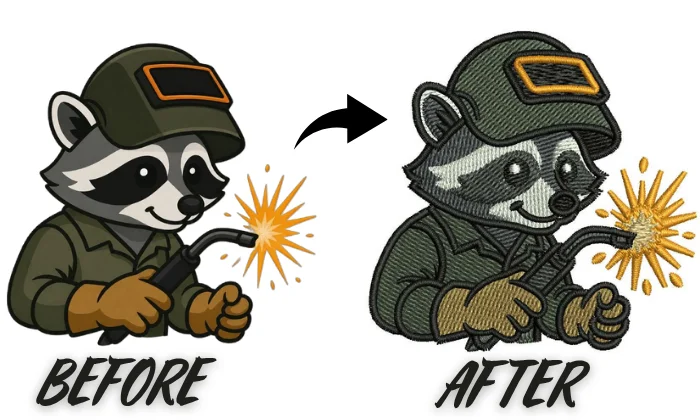
The best workflow uses AI for simple support while keeping important production choices under human control.
Auto Digitizing
Auto-digitizing can speed up artwork cleanup and create a quick starting point. However, it may choose poor stitch types, density, pathing, underlay, or sewing order. These mistakes can require extra editing and test runs.
Professional Digitizing
A skilled embroidery digitizer can plan stitches around the artwork, fabric, size, and final use. The process can include artwork cleanup, manual digitizing, stitch simulation, test sewing, corrections, and final file preparation.
The goal is not to avoid AI. Instead, avoid letting automation make production decisions that still require embroidery knowledge.
For production-ready results, choose Digitizing Buddy for professional embroidery digitizing when accuracy, clean stitch quality, and reliable machine performance matter most.
Final Thoughts
AI can help with artwork cleanup, simple stitch planning, quick previews, and basic auto-digitizing. However, it still needs human review for density, underlay, pathing, fabric behavior, small details, and production quality.
Manual digitizing gives better control and can help reduce wasted materials, repeated testing, and costly corrections. Send your artwork to Digitizing Buddy and get a free quote for careful manual digitizing built around your fabric, design size, and embroidery needs.
FAQs
Yes. AI can analyze artwork and create basic stitch paths, color areas, and embroidery files. However, the result may still need manual changes to density, underlay, stitch direction, sequence, and pathing before it is ready for production.
Yes. Some AI tools can turn JPG, PNG, and other artwork into embroidery machine files. However, clean and simple artwork usually gives better results. Complex details, low-resolution images, gradients, and small elements often need manual cleanup and digitizing adjustments.
Auto-digitizing can work well for simple designs, but it is not reliable for every production job. Complex logos, small lettering, detailed artwork, and difficult fabrics often need manual corrections to improve stitch quality and machine performance.
AI can attempt small lettering and fine details, but these areas remain difficult. Letter size, thread weight, stitch density, spacing, fabric type, and needle choice all affect clarity. Manual digitizing gives more control over these details.
AI may automate more basic tasks, but professional digitizers still provide important human judgment. They can adjust stitches for fabric behavior, design size, small details, pathing, specialty embroidery, and production needs. For now, AI works better as an assistant than a complete replacement.