

| Quick Summary |
|---|
Embroidery file formats control how a machine reads, displays, and stitches a design.
|
Embroidery digitizing is the bridge between creative artwork and flawless stitches, but it only works smoothly when the design is saved in the right file format. Every embroidery machine “reads” instructions differently, which means the same design file may run perfectly on one machine but fail on another. That is why knowing about file formats is not just technical; it is essential for anyone working with embroidery, whether you are a hobbyist or running a business.
Imagine this: you have created or ordered a stunning design that looks picture-perfect on your computer. You load it into your embroidery machine, but suddenly the stitches are out of place, colors do not match, or the file will not even open. The problem is not the artwork, it is the wrong file format. This is why many people rely on professional embroidery digitizing services that know how to prepare files correctly for each type of machine.
In this blog, we will take a closer look at the most popular embroidery file formats, from DST and PES to EMB and beyond. You will learn their uses, limitations, and why selecting the right format is the key to professional embroidery results. Let’s dive in and find out which format works best for your machine.
What Are Embroidery File Formats?
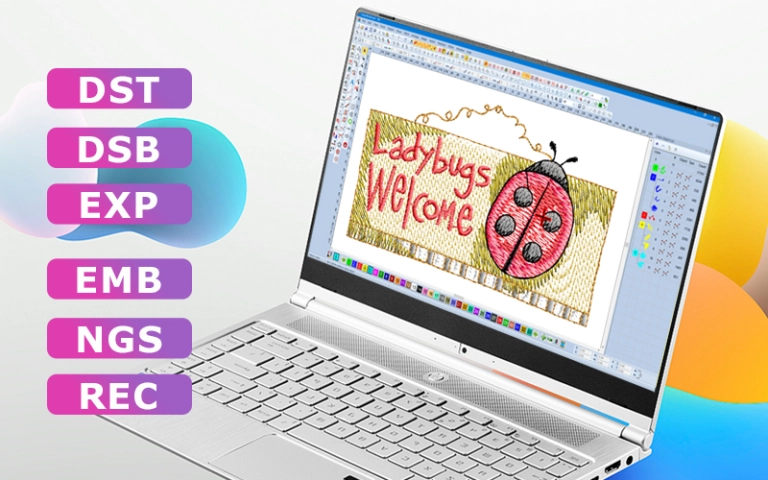
Embroidery file formats are specialized digital instructions that tell an embroidery machine how to stitch a design. Unlike image files such as JPEG or PNG, these formats contain technical details like stitch types, stitch direction, length, density, color changes, and trimming points. In simple terms, they are the “language” that embroidery machines use to turn digital artwork into stitches on fabric.
Native vs Machine Formats
There are two main types of embroidery formats. Native or editable formats (for example, EMB from Wilcom) store object-based data, which allows resizing, editing, and adjustments without losing stitch quality. On the other hand, machine formats (such as DST, PES, or JEF) are created for specific machines. They give stitch-by-stitch instructions but are less flexible for editing once finalized.
Why the Right Format Matters
Selecting the correct file format is essential for smooth production. The wrong format can lead to issues like misplaced stitches, broken patterns, or files that refuse to load. By using the right format for your embroidery machine, you avoid costly errors, save time, and achieve clean, professional results.
Why File Formats Matter in Embroidery Digitizing
Compatibility with Machines
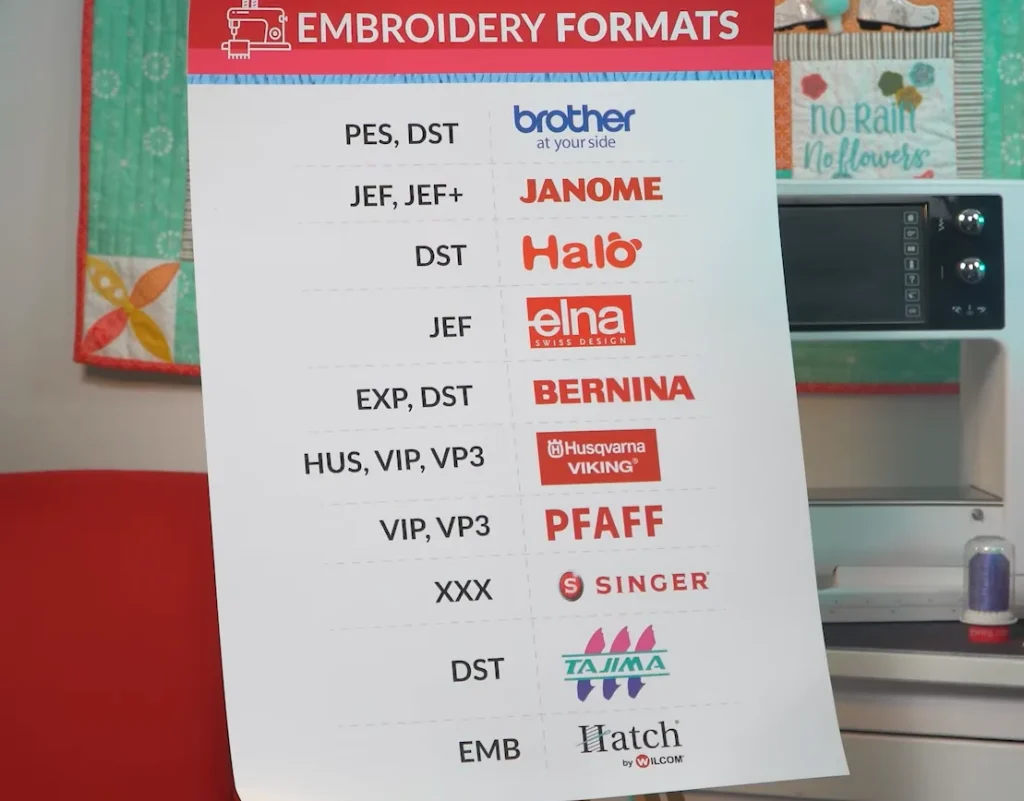
Each embroidery machine brand speaks its own “language.” For example, Brother embroidery machines usually require PES, Janome needs JEF, Tajima works with DST, and Bernina often uses EXP. If the file format does not match the machine, the design may not load at all or could display incorrectly. Having the right format ensures seamless compatibility and smooth stitching from the very start.
Impact on Design Quality
A correct file format preserves all the details of the design, such as stitch length, density, trims, and color changes. When the format matches the machine’s capabilities, the design runs with precision and looks as intended on fabric. Using the wrong format can distort these elements, leading to misaligned stitches, thread breaks, or color mismatches that ruin the final look.
Efficiency in Production
Choosing the right format also saves valuable time. Instead of stopping mid-production to fix errors or re-digitize the file, a properly formatted design runs smoothly. This efficiency reduces waste, prevents delays, and allows embroiderers to focus on creativity and output rather than troubleshooting technical problems.
The Most Popular Embroidery File Formats
DST (Tajima)—The Industry Standard
DST, short for Data Stitch Tajima is one of the most widely supported machine embroidery formats. Tajima developed it for commercial embroidery, and its broad compatibility later made it a common choice for production shops worldwide.
A DST file stores stitch coordinates and machine commands that control how the design sews. It can record normal stitches, jumps, and color-change points. However, a standard DST file does not store the actual thread colors, so the operator usually follows a separate color sequence when setting up the job.
Key DST file features:
- Works with many commercial embroidery machines
- Stores stitch movement and color-change commands
- Uses a compact file structure for easy transfer
- Does not preserve editable design objects or true thread-color details
Because DST is a stitch-based output file, major edits are better made in the original editable design file before exporting again. Also, DST compatibility does not guarantee a clean stitch-out. Good digitizing, correct settings, and proper testing still determine the final embroidery quality.
PES (Brother/Babylock/Bernina)

PES is a widely used machine embroidery format, especially with Brother and Baby Lock embroidery systems. Some other machines and software support PES, but compatibility depends on the model and file version.
Unlike DST, PES format can store stitch data along with thread color information. This helps compatible machines show the design sequence and color changes on screen before stitching. However, displayed colors can vary because machines may match saved colors to their own thread palettes.
Why PES is useful
- Stores stitch and color information in one file
- Works well for monograms, logos, gifts, and decorative designs
- Supports design previews on compatible machines
- Comes in different versions for older and newer equipment
Therefore, do not assume every PES file will work on every machine. Check the supported PES version, hoop size, and limits for your exact model. A properly digitized PES file can make setup easier, but stitch quality still depends on good digitizing, fabric preparation, and correct machine settings.
EMB (Wilcom’s Editable Format)
EMB is Wilcom’s native embroidery design format. Unlike machine files such as DST, an EMB file keeps the design in an editable, object-based form. It is mainly used for creating, changing, resizing, and storing designs before export to a machine-ready format.
Because EMB keeps full design information, digitizers can adjust shapes, stitch types, density, underlay, pull compensation, colors, trims, and other settings more accurately. It also stores generated stitches along with the editable objects.
Key benefits of an EMB file:
- Keeps detailed design data for future editing
- Supports resizing with stitches recalculated from the design objects
- Makes color and stitch adjustments easier
- Can be exported to machine formats when production is ready
However, EMB is not normally the file you send directly to an embroidery machine. Instead, the digitizer keeps it as the master design and exports the required machine file.
For this reason, saving the original EMB file is useful when a logo needs resizing, recoloring, or other changes later.
JEF (Janome)
JEF is the standard machine-readable embroidery format for Janome and Elna machines. It stores stitch coordinates and instructions that guide hoop movement and stitch placement.
Unlike an editable master file, JEF is mainly made for stitching. Janome also uses JEF Plus for some editable stitch-data workflows.
Key JEF features
- Native format for Janome and Elna machines
- Stores stitch and movement instructions
- Loads through internal memory or USB on compatible models
- Must match the machine’s hoop and design limits
Therefore, check your exact machine model before loading a JEF design. Proper digitizing and setup still affect the final stitch-out.
EXP (Melco/Bernina)
EXP is a stitch-based machine format linked with Melco and BERNINA embroidery systems. It stores stitch coordinates and machine commands, such as jumps and color-change points, instead of editable design objects.
BERNINA also uses an extended EXP workflow. On many BERNINA machines, the EXP design can be accompanied by an INF file for thread colors and a BMP file for preview.
Key EXP features
- Stores stitch-by-stitch movement data
- Supports jumps and color-change commands
- Works with Melco and BERNINA machines
- May use companion files in BERNINA workflows
However, EXP is a production file, not a master editing file. Therefore, major resizing or stitch changes should be made in the editable design before exporting a new EXP file. Always check your machine model before loading the design.
VP3 (Husqvarna Viking/Pfaff)
The VP3 format is a modern embroidery file type designed for Husqvarna Viking and Pfaff embroidery machines. These brands are especially popular in Europe, which is why VP3 enjoys strong recognition in that region.
VP3 files store both stitch data and color information, making them user-friendly for hobbyists and mid-range machine owners. The format is capable of handling larger and more complex designs compared to older file types, which adds to its appeal for decorative and creative projects.
For hobbyists who use Viking or Pfaff machines, VP3 is the preferred choice because it provides a smooth workflow with minimal setup. Its balance of modern features and ease of use has made it one of the leading formats in the personal embroidery market.
| Format | Used By | Type of Data | Pros | Cons | Best For |
|---|---|---|---|---|---|
| DST (Tajima) | Industrial machines (Tajima, Barudan, ZSK, etc.) | Stitch data only | Universal, highly reliable, lightweight, supported by almost all commercial machines | No color information, manual setup required | Factories, bulk production |
| PES (Brother/Babylock/Bernina) | Brother, Babylock, Bernina (home/semi-pro) | Stitch + color data | Easy to use, previews with colors, beginner-friendly | Limited editing flexibility | Hobbyists, small businesses, personal projects |
| EMB (Wilcom) | Wilcom software (not a machine format) | Editable object-based data | Fully editable, resize without distortion, recalculates stitches | Cannot run directly on machines, needs conversion | Professional digitizers, master files |
| JEF (Janome) | Janome machines | Stitch + color data | Simple, loads easily, color-friendly | Proprietary, less universal than PES or DST | Home users with Janome machines |
| EXP (Melco/Bernina) | Melco and Bernina | Stitch data + some extra info | Reliable, slightly more advanced than DST, smoother execution | Less universal than DST | Semi-professional users, Bernina owners |
| VP3 (Husqvarna Viking/Pfaff) | Husqvarna Viking, Pfaff | Stitch + color data | Modern, handles larger designs, previews colors | Limited to specific machines | European hobbyists, decorative embroidery |
How Digitizing Buddy Helps

When it comes to embroidery digitizing, Digitizing Buddy makes the process simple and stress-free. No matter what machine you use, Digitizing Buddy can deliver your designs in all major formats, including DST, PES, EMB, JEF, EXP, and VP3.
Digitizing Buddy’s pricing is budget-friendly, with services starting at just $10. Turnaround times are fast, typically within 2 to 12 hours, and urgent projects can be completed in as little as 2 hours with rush service. To give customers peace of mind, Digitizing Buddy offers free edits until you are fully satisfied along with a money-back guarantee.
Support is available around the clock through 24/7 live chat, so help is always one click away.
Conclusion
Embroidery file formats are truly the backbone of embroidery digitizing. From DST to PES, EMB, JEF, EXP, and VP3, each format plays a vital role in ensuring your design runs smoothly on the right machine. Choosing correctly from the start prevents costly errors, saves time, and guarantees professional results.
Always remember, requesting the correct format upfront is just as important as the design itself. A beautifully digitized file will only look perfect on fabric if it matches your machine’s requirements.
If you’re unsure which format you need, our team at Digitizing Buddy can guide you and deliver the right files for your machine. With prices starting at $10, quick turnaround, and 24/7 support, you can count on us to make embroidery digitizing hassle-free. Get your free quote today!
FAQs
The correct format depends on your exact embroidery machine model. For example, many Brother machines support PES and DST, while JEF is the standard stitch format for Janome and Elna machines. Always check your machine manual before downloading or ordering a design.
DST stores stitch coordinates and machine commands, but it does not store specific thread colors. PES can store stitch data along with color information for compatible machines. DST is common in commercial production, while PES is widely used with compatible home and semi-professional machines.
Usually, no. JPG and PNG files contain image pixels, not the stitch instructions an embroidery machine needs. The artwork must first be digitized to create stitch paths, density, sequence, underlay, and other settings before exporting a supported machine file.
Yes, compatible embroidery software can export an existing design into different machine formats. However, converting a stitch-only file does not restore all the original editable design information. For major resizing or editing, working from an editable master file usually gives better control.
EMB is Wilcom’s native editable design format. It can store objects, stitches, thread colors, settings, and production information. Machine files focus mainly on the instructions needed for stitching, so digitizers often keep the EMB master for future edits and export the required machine file for production.