
| Quick Summary |
|---|
The Brother NQ3550W combines sewing and embroidery features for home projects and small custom orders.
|
Buying a new embroidery machine takes some thought, especially when you need a larger hoop but still sew every day. The Brother NQ3550W offers a 6″ × 10″ embroidery area along with advanced sewing features.
However, its premium price raises a fair question: Is the extra space and convenience worth paying for?
In this Brother NQ3550W review, we’ll examine its features, stitch performance, limits, owner experiences, and overall value. We’ll also look at who may benefit most from the upgrade.
If you plan to stitch your own logos, expert custom embroidery digitizing can help you prepare clean, machine-ready designs for your projects.
- Quick Answer: Is the Brother NQ3550W Worth Buying?
- Brother NQ3550W Overview and Key Specifications
- Embroidery Quality and Performance
- Sewing and Quilting Features
- Is the Brother NQ3550W Easy for Beginners?
- Brother NQ3550W Problems and Limitations
- What Do Actual Brother NQ3550W Owners Say?
- Brother NQ3550W vs SE700: Which Should You Choose?
- Why Hire a Professional Embroidery Digitizing Service?
Quick Answer: Is the Brother NQ3550W Worth Buying?
Yes, the Brother NQ3550W is worth buying for home users who want a larger embroidery area and everyday sewing features. It offers a 6 x 10 inch embroidery area, 291 sewing stitches, and wireless design transfer to the embroidery machine.
However, its high price and single-needle setup may not suit everyone. You must change thread colors by hand during multicolor projects.
Who Should Consider This Machine?
- Home sewists who also enjoy embroidery.
- Hobbyists creating shirts, bags, and personalized gifts.
- Users ready to move beyond smaller hoops.
For basic embroidery or large commercial orders, other machines may offer better value.
Brother NQ3550W Overview and Key Specifications
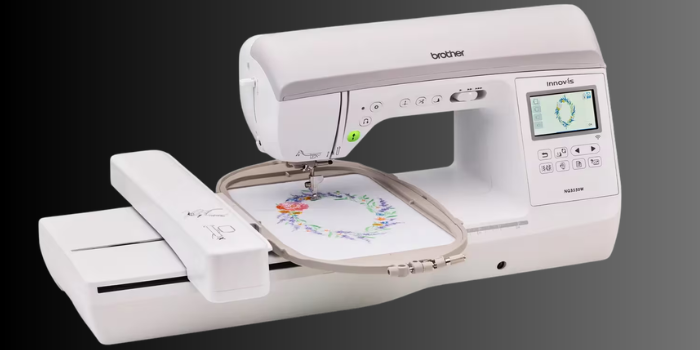
The Brother Innov-is NQ3550W combines sewing, quilting, and embroidery in one home machine. It suits people who want to stitch larger designs without buying a separate sewing machine. Its touchscreen also lets you make simple design changes before stitching.
| Specification | Brother NQ3550W |
|---|---|
| Machine type | Sewing and embroidery combination |
| Maximum embroidery area | 6 x 10 inches |
| Included embroidery frames | 6 x 10 and 5 x 7 inches |
| Built-in embroidery designs | 258 |
| Embroidery lettering fonts | 13 |
| Built-in sewing stitches | 291 |
| Maximum embroidery speed | 850 stitches per minute |
| Display | 3.67-inch color touchscreen |
| Connectivity | Wireless LAN and USB |
| Needle-to-arm workspace | 8.3 x 4.1 inches |
What Comes with the Brother NQ3550W?
Brother includes both embroidery frames, several presser feet, a knee lifter, and a foot controller. You also receive bobbins, basic maintenance tools, and guides for setting up your projects.
However, always check the dealer’s package details. Brother lists the magnetic embroidery frame and advanced digitizing software as optional accessories, not standard items. A retailer may offer them in a special bundle.
Embroidery Quality and Performance
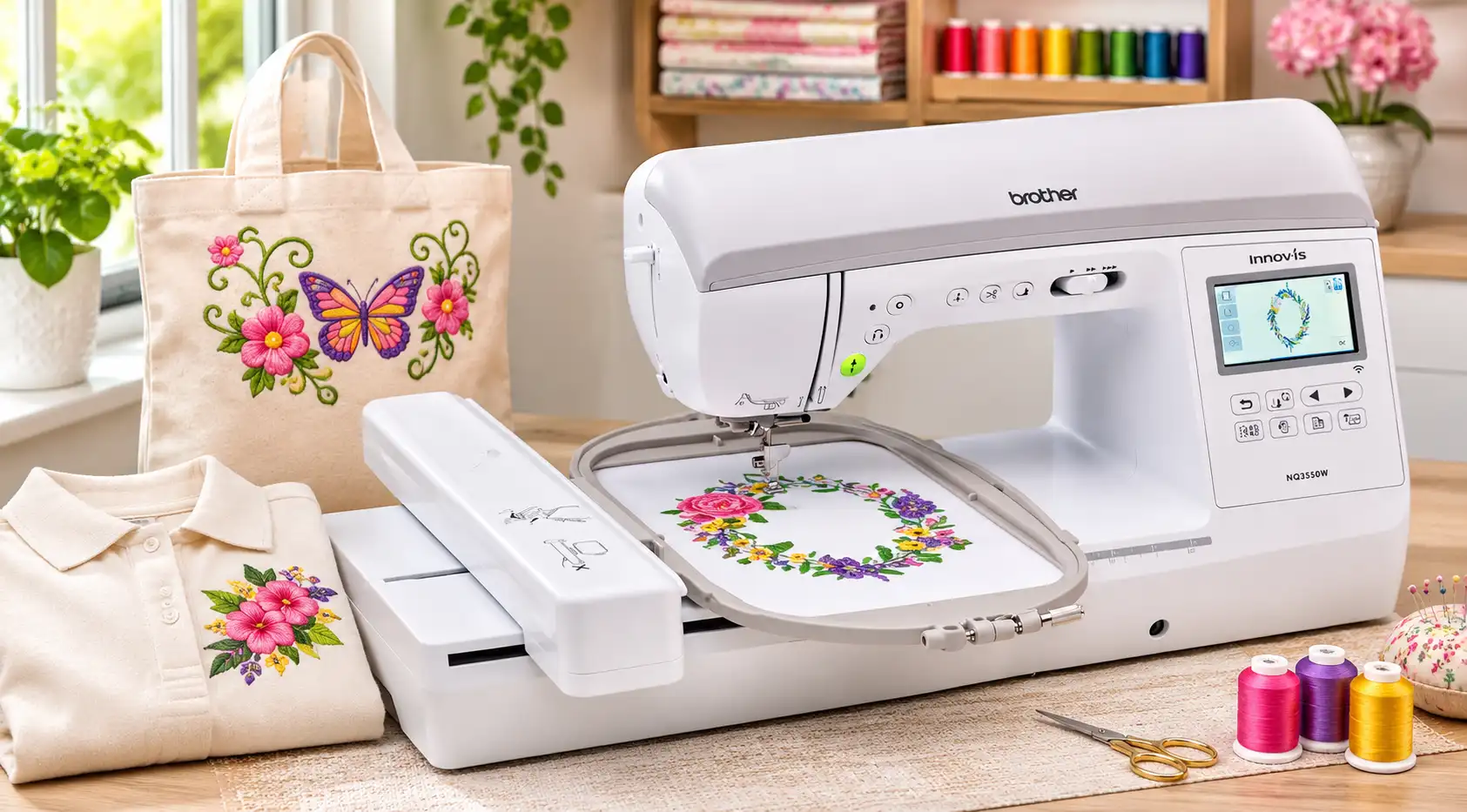
The NQ3550W gives home users room to stitch bigger designs without splitting many projects into separate sections. Still, a large hoop does not guarantee a clean result.
How Well Does It Handle Different Embroidery Projects?
Its 6 x 10 inch embroidery area suits shirt fronts, tote bags, quilt blocks, and some jacket designs. Check the design size and garment placement before hooping.
The machine can reach 850 stitches per minute, but that is a maximum speed, not a promise of fast completion. Hooping, thread changes, and trimming also take time.
For cleaner results, focus on these basics:
- Use a stabilizer that matches the fabric.
- Check tension and test small lettering before sewing.
- Choose well-digitized files for satin stitches, filled areas, and detailed logos.
Design Transfer and File Compatibility
You can load designs by USB or send them wirelessly through Brother’s Design Database Transfer. The Artspira app offers patterns and drawing tools for compatible projects.
The machine accepts PES, PHC, PEN, and DST embroidery files. Its touchscreen lets you resize, rotate, move, and combine compatible designs.
However, it cannot turn a JPG or PNG logo directly into a polished embroidery file. Custom artwork still needs digitizing before stitching.
Sewing and Quilting Features
The Brother NQ3550W offers 291 built-in sewing stitches, including 10 one-step buttonhole styles. These options suit clothing repairs, decorative seams, and everyday sewing projects.
Its automatic height adjuster keeps stitches even across different fabric thicknesses. Meanwhile, the pivot function lifts the presser foot while keeping the needle down, making it easier to turn corners.
Useful Features for Quilting
- My Custom Stitch lets you create and edit stitch patterns.
- The knee lifter frees your hands when guiding fabric.
- The 8.3-inch workspace gives you more room to handle quilts.
Overall, this machine suits people who sew clothes, make quilts, and enjoy adding embroidery to their projects.
See how the Brother NQ3550W performs on real sewing and embroidery projects in this hands-on video, featuring its key functions and everyday use.
Is the Brother NQ3550W Easy for Beginners?
Yes, beginners can learn on the NQ3550W, especially if they plan to sew and embroider often. Its built-in tools make setup easier, but they do not remove the need to practice.
Features That Make Learning Easier
- The advanced needle threader makes threading less frustrating.
- The automatic thread cutter trims threads with a button press.
- The 3.67-inch color touchscreen shows designs and simple editing options.
- The 258 built-in designs let you start without buying extra patterns.
However, embroidery still takes patience. You must attach the embroidery unit, hoop fabric evenly, choose the right stabilizer, and change thread colors for multicolor designs. Test stitches also matter, especially on stretchy fabric.
For a first machine, the price may feel high. It makes more sense for beginners who want to grow their sewing and embroidery skills than for occasional small projects.
Brother NQ3550W Problems and Limitations
The NQ3550W has useful features, but it also has limits. Some stitch problems come from setup, not a faulty machine.
Common Problems and Limitations
| Issue | What to Know |
|---|---|
| Thread breaking or tangling | Check threading, needle, bobbin, and fabric support. |
| Fabric puckering | Check stabilizer, hooping, and stitch density. |
| Single-needle operation | Change colors by hand for multicolor designs. |
| Wireless transfers | Design Database Transfer works on Windows, not Mac. |
| Limited editing | On-screen tools cannot replace digitizing software. |
| High price | Occasional small designs may not justify the cost. |
Mac users can still load compatible designs by USB. Wireless transfer through Brother’s Windows app is not their only option.
What Should You Know About Bobbin Tension?
Brother’s manual warns against adjusting the green-marked screw on the standard bobbin case. The factory sets its tension. Brother also includes an alternate bobbin case for certain prewound or other embroidery threads.
Before seeking repairs, try a fresh needle, correct threading, a suitable stabilizer, and a built-in design. However, if problems continue, ask an authorized technician to inspect the machine.
What Do Actual Brother NQ3550W Owners Say?
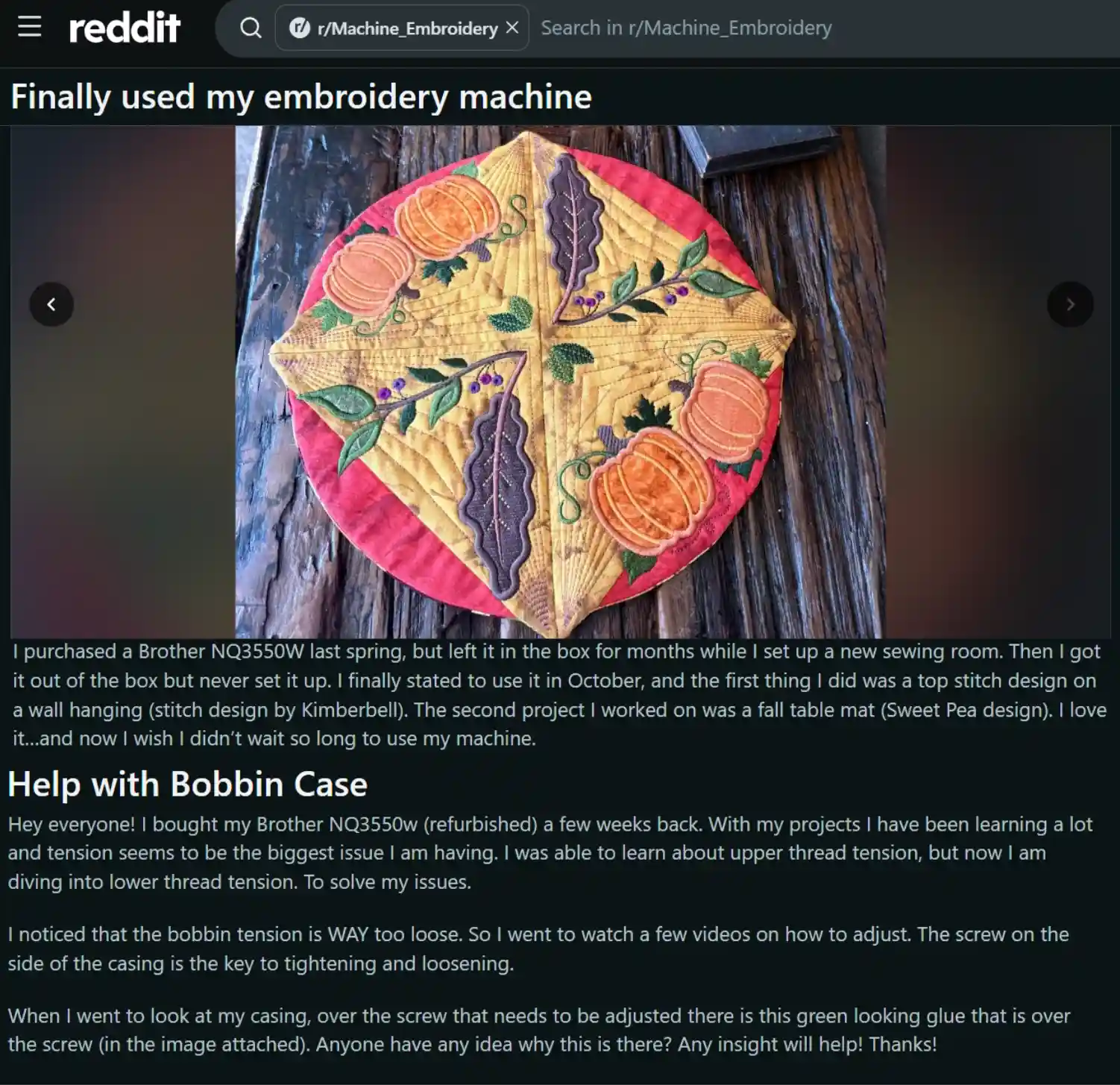
Owner feedback shows both good results and a few setup challenges. In a Reddit embroidery community, one owner shared a wall hanging and fall table mat made after finally setting up their NQ3550W. They enjoyed using it and wished they had started sooner.
However, another owner reported thread breaking and tangling while stitching a kitchen towel. A refurbished-machine owner also asked for advice about loose bobbin tension.
These experiences offer a useful lesson: Check your needle, threading, bobbin, and stabilizer before judging stitch quality. Also, allow time to learn the settings.
Overall, these are individual experiences, not proof of common defects.
Brother NQ3550W vs SE700: Which Should You Choose?
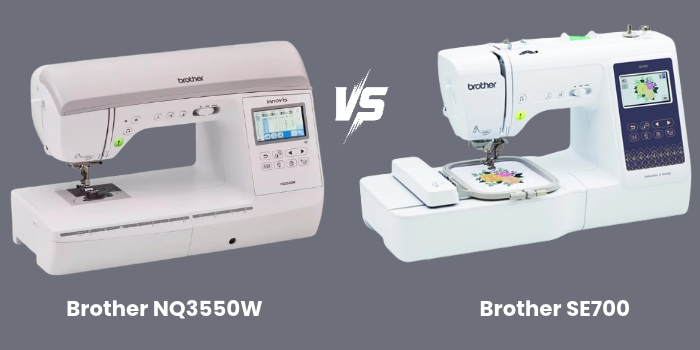
Both machines handle sewing and embroidery, but they serve different needs. The SE700 costs less and suits smaller projects. The NQ3550W gives you more space and sewing tools for bigger plans.
| Feature | NQ3550W | SE700 |
|---|---|---|
| Embroidery area | 6 x 10 inches | 4 x 4 inches |
| Built-in embroidery designs | 258 | 135 |
| Sewing stitches | 291 | 103 |
| Wireless design transfer | Yes | Yes |
| Best for | Larger designs and advanced sewing | Small beginner projects |
What Makes the Upgrade Worthwhile?
The larger hoop lets you stitch wider shirt designs, tote bag art, and quilt blocks without splitting as many patterns. You also get more built-in designs, a larger work area, and features for turning corners and handling thick fabric.
However, if you mainly stitch names, patches, or small gifts, the SE700 may cover your needs at a much lower price. Both offer wireless design transfer, so Wi-Fi alone is not a reason to upgrade.
Why Hire a Professional Embroidery Digitizing Service?

Owning an embroidery machine does not mean you must learn digitizing software. The Brother NQ3550W supports ready-made embroidery files, but turning a custom logo into stitches requires extra skills and time.
For hobby projects, hiring an embroidery digitizing service saves hours of learning stitch types, density, underlay, and other settings. You can focus on stitching instead of learning complex software.
For small businesses, professionally prepared files also reduce the risk of wasted thread, stabilizer, and fabric from poor stitch results. Proper digitizing improves lettering, stitch placement, and design quality.
Instead of spending time on trial and error, let Digitizing Buddy prepare your artwork for embroidery. Send us your logo or custom design, request a machine-ready PES file, and get a free quote today.
Can the Brother NQ3550W Handle a Small Embroidery Business?
Yes, the NQ3550W suits small home based embroidery businesses that take custom orders. Its 6 x 10 inch embroidery area allows larger designs without splitting them into multiple sections.
What Projects Can You Sell?
- Personalized gifts and monogrammed towels.
- Custom shirts and embroidered tote bags.
- Small batches of made-to-order products.
However, this single-needle machine requires manual thread changes for multicolor designs. Its flatbed design also makes some finished garments and structured caps harder to embroider than on commercial free-arm machines.
For business logos, use properly digitized, machine-compatible files. Poor stitch density or tiny lettering may cause messy results, even on a good machine.
Overall, it works well for small custom orders, but high-volume production demands faster equipment.
Brother NQ3550W Pros and Cons: Final Verdict
The Brother NQ3550W offers a strong mix of sewing and embroidery features, but its value depends on your projects and budget.
Pros
- Large 6 x 10 inch embroidery area.
- 291 sewing stitches and two included hoops.
- Wireless design transfer and built-in editing tools.
Cons
- High purchase price.
- Manual thread changes for each color.
- Limited digitizing tools and a learning curve for beginners.
Who Should Buy It and Who Should Skip It?
Buy it for regular sewing, larger embroidery designs, and small custom orders. Skip it for occasional monograms or high-volume production.
Ready to stitch your own logo? Contact Digitizing Buddy for a custom PES embroidery file and get a free digitizing quote today.
Frequently Asked Questions
The machine supports a maximum embroidery area of 6 x 10 inches. It includes 6 x 10 and 5 x 7 inch embroidery frames for different projects.
The machine supports PES, DST, PHC, and PEN embroidery files. PES is a common choice for custom designs on Brother machines.
No. You can use its 258 built-in designs without extra software. However, creating detailed custom logos usually requires separate digitizing software or a digitizing service.
No. It is a single-needle machine, so you must change the thread manually when a design requires another color.
Yes. You can transfer compatible embroidery files from a Mac using a USB drive. However, Brother’s Design Database Transfer software requires Windows.