
| Quick Summary |
|---|
Mac users need embroidery software that matches their skill, budget, and stitch goals.
|
Choosing embroidery digitizing software for Mac can feel confusing because many embroidery programs still favor Windows. So, Mac users need to check native support, export formats, editing limits, and real digitizing tools before choosing one.
However, the right software depends on how you plan to use it. Learners need simple steps. Beginners need fewer technical barriers. Hobbyists may want creative control. Small businesses and home embroidery shops need files that stitch cleanly for logos, patches, and apparel.
This guide helps you compare your options and choose the best fit. For detailed logos or small lettering, a trusted embroidery digitizing team can shape the stitch plan before it reaches your machine.
- Quick Answer: Which Embroidery Software Works Best for Mac Users?
- What to Look for in Mac Embroidery Digitizing Software
- Best Paid Mac Native Option: Embrilliance StitchArtist
- Best Free Option: Ink/Stitch
- Best Guided Software for Mac: Chroma
- Best All-in-One Creative Platform: mySewnet
- Can You Use Hatch Embroidery Software on a Mac?
- Quick Comparison: Best Embroidery Software for Mac Users
- Is Free Mac Embroidery Software Good Enough?
Quick Answer: Which Embroidery Software Works Best for Mac Users?
Embrilliance StitchArtist works well for Mac users who want a paid, native option with real design control. Ink/Stitch is the best free choice, but it takes more patience to learn.
However, Chroma and mySewnet give users more guided tools on Mac. Hatch offers strong digitizing features, but it needs Parallels because it does not run as native macOS software.
What to Look for in Mac Embroidery Digitizing Software
Start with compatibility. Some programs run natively on macOS, while others need Parallels and Windows. That extra setup can add cost, slow performance, and create a harder path for beginners.
Match Tools to Real Work
Also, check if the software creates stitch files or only edits finished embroidery designs. Real digitizing tools should let you control embroidery stitch types, direction of stitches, underlay, density, and stitch sequence.
Look for these features:
- Export options like DST, PES, JEF, EXP, VP3, and HUS
- Lettering and monogram tools
- Auto-digitizing with manual control
- Tutorials, updates, and support
- Clear pricing, trial access, or subscription details
Meanwhile, think about your main use. A hobbyist may need simple editing and lettering. A small shop may need better logo control for patches, caps, apparel, and repeat orders.
For this reason, choose software by project type, not only by price or popularity.
Best Paid Mac Native Option: Embrilliance StitchArtist
Embrilliance StitchArtist is a strong paid choice for Mac users because it runs on macOS and Windows. Mac users do not need to set up Parallels just to start digitizing, which makes the workflow easier for beginners.
However, its biggest value is the modular setup. You can start with a lower level and move up when your skills or business needs grow. This keeps the first step less overwhelming.
Best for:
- Beginners who want a smoother learning path
- Hobbyists who want more stitch control
- Small shops working on logos, patches, and apparel
- Mac users who want to avoid Windows setup
Also, StitchArtist focuses on creating stitch designs, not only basic editing. That matters when you need to plan embroidery stitch type, shape, direction, and clean output for fabric. It gives users room to learn without jumping into a commercial suite.
Watch this beginner-friendly Embrilliance walkthrough to see how its modules work and how Mac users can choose a starting point.
Best Free Option: Ink/Stitch
Ink/Stitch is a good free choice for Mac users who want to learn digitizing without buying software first. It is free, open source, and cross-platform. It works as an Inkscape extension, so you build the artwork and stitch plan inside a vector-based workflow.
However, it is not the easiest tool for every beginner. You may need time to install it, understand Inkscape, set stitch settings, and test the file before sewing.
Useful features include:
- Fill, satin, and running stitch tools
- Lettering tools for simple text work
- Stitch path and sequence control
- Export options for many machine files
- A strong learning path for practice projects
Meanwhile, Ink/Stitch fits patient learners, hobbyists, and budget users. It also suits users who enjoy tutorials and community examples. For polished logos, small letters, or shop orders, expect more setup and testing before the design is production-ready.
Best Guided Software for Mac: Chroma
Chroma by Ricoma is a paid embroidery program for Mac and PC users who want more guidance while they learn. It offers different plans, so you can choose a level based on your skill, project type, and budget.
Also, Chroma gives users training, tutorials, and tech support, which can make the learning curve feel less stressful. This matters for beginners, home shops, and small teams that need support beyond the software screen.
Useful Chroma features include:
- Mac and PC compatibility
- Guided plans for different skill levels
- Auto digitizing and editing tools
- Lettering and font tools
- Export support for major machine formats
- Training, tutorials, and support
However, Chroma may cost more than basic beginner tools. For this reason, it fits users who want a modern workflow, structured learning, and room to grow into more advanced embroidery digitizing work.
Best All-in-One Creative Platform: mySewnet
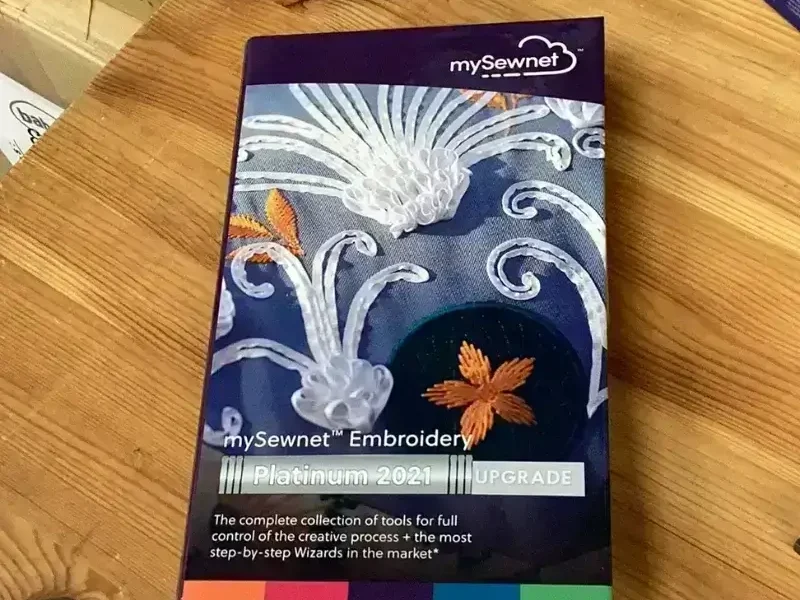
mySewnet is a good fit for Mac users who want more than basic editing. Its software supports Mac and Windows, works with any embroidery machine brand, and brings digitizing, editing, and creative tools into one platform.
Also, it suits users who like a connected workflow. You can work with designs, adjust layouts, use library content, and keep projects easier to access across supported devices.
Helpful features include:
- Mac and Windows support
- Works with many machine brands
- Design library access
- Editing and digitizing tools
- Cloud-connected project options
- Guided creative tools
However, mySewnet may feel bigger than what a new hobbyist needs. It fits users who want one system for design ideas, file changes, and stitch planning. For small shops, it can support a cleaner creative process before sending files to the embroidery machine.
Can You Use Hatch Embroidery Software on a Mac?

Yes, you can use Hatch on a Mac, but it is not native Mac software. Hatch runs on Windows, so Mac users need extra setup before using it.
However, this setup usually means Parallels Desktop, Windows 11, and enough computer power to run both macOS and Windows smoothly. That can add cost, storage needs, and a few technical steps.
Things to check before choosing Hatch:
- Parallels Desktop setup
- Windows 11 requirement
- RAM and storage space
- Virtual machine performance
- Trial limits for Mac users
Meanwhile, Hatch can still be a strong option for users who want advanced digitizing tools and do not mind the Windows setup. But beginners who want a simpler Mac workflow may feel more comfortable with native options before moving to a setup like this.
Quick Comparison: Best Embroidery Software for Mac Users
Use this table to match each tool with your skill level, budget, and Mac setup.
| Software | Mac Support | Best For | Free or Paid | Main Note |
|---|---|---|---|---|
| Embrilliance StitchArtist | Native Mac | Beginners, hobbyists, small shops | Paid | Strong Mac-friendly paid option |
| Ink/Stitch | Native through Inkscape | Free learning, SVG-based work | Free | Powerful, but takes patience |
| Chroma | Mac and PC | Guided paid digitizing | Paid or subscription | Training and support included |
| mySewnet | Mac and Windows | All-in-one creative workflow | Paid or plan-based | Works with many machine brands |
| Hatch | Mac through Parallels only | Advanced digitizing | Paid | Not native macOS software |
Is Free Mac Embroidery Software Good Enough?
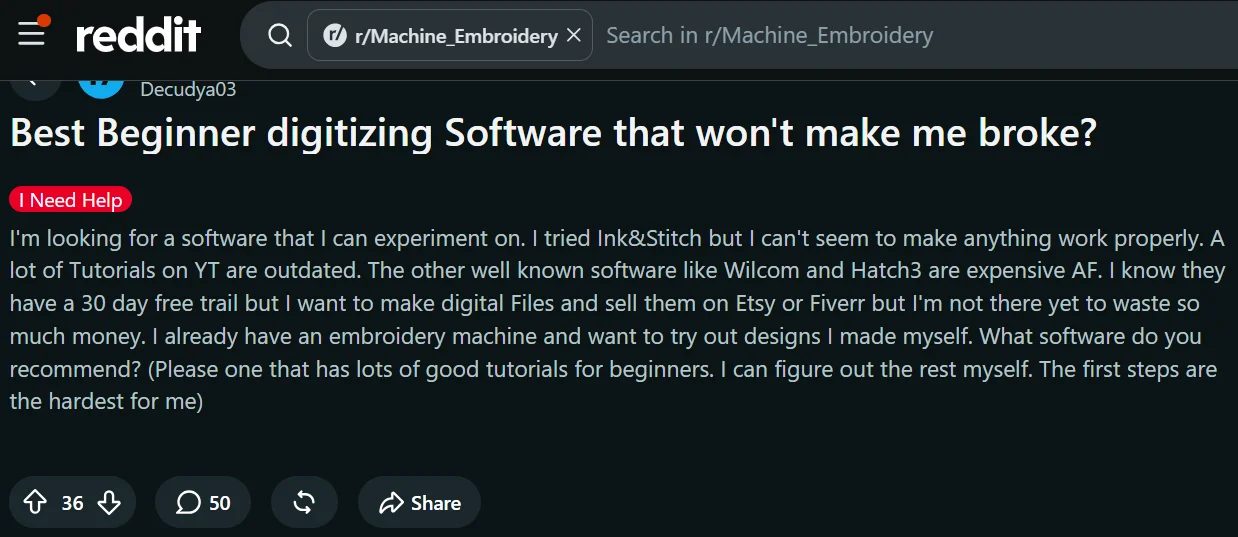
In Reddit embroidery discussions, Mac users often ask if free software is enough because paid tools can feel costly at the start. Ink/Stitch comes up often because it is free, open source, and works for real stitch creation.
However, users also point out the harder side. Beginners may struggle with setup, Inkscape controls, stitch settings, and tutorials that do not always match their exact problem.
Free software works best for:
- Simple shapes
- Practice projects
- Basic text
- Learning stitch paths
- Small personal designs
Meanwhile, business work needs more care. Logos, small letters, caps, patches, and repeat orders often need cleaner planning and testing. So, free tools can work, but they may take more time before the file is ready for production.
Which Mac Embroidery Software Should You Choose?
Choose the software by your budget, skill level, and project type. A free tool may work for learning, while a paid tool may save time on client work.
Best match by user type
- Beginner on a budget: Ink/Stitch
- Easier paid path: Embrilliance StitchArtist
- Small business needing support: Chroma or Embrilliance
- Creative user wanting cloud tools: mySewnet
- Advanced user who accepts Windows setup: Hatch through Parallels
However, do not choose by features alone. Pick the program that matches your Mac setup, machine format, learning comfort, and the kind of designs you stitch most.
When Should You Use Professional Digitizing Instead?
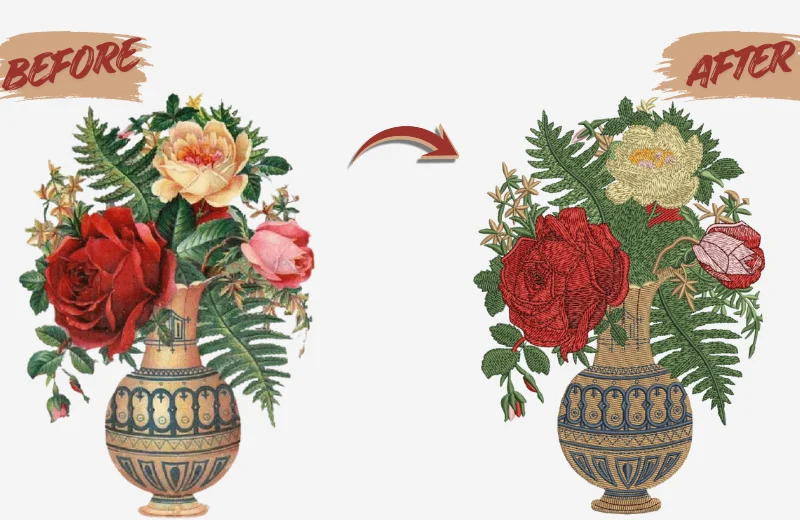
Software gives you tools, but clean embroidery still needs skill. You need to plan stitch direction, density, underlay, pull compensation, and fabric type. These choices affect how the design looks on real fabric.
However, learning all of this takes time. Paid software also adds cost, and free tools may need more trial and error.
Professional file setup makes more sense for:
- Detailed logos
- Small lettering
- Caps and curved surfaces
- Patches and thick borders
- 3D puff designs
- Bulk business orders
Instead of losing fabric, thread, and hours on rough samples, a production-ready stitch file gives your project a cleaner path from artwork to machine.
Final Thoughts
The best Mac embroidery software depends on your budget, skill level, and project needs. Ink/Stitch works well for free learning, while Embrilliance gives beginners a smoother paid path. Chroma and mySewnet fit users who want guided tools, and Hatch works best for advanced users who can manage a Windows setup.
However, software is only part of the process. Clean embroidery also needs smart stitch planning. For logos, patches, caps, or business orders, contact Digitizing Buddy and get a free quote for quality embroidery digitizing.
FAQs
Yes, Mac users can create stitch files with tools like Embrilliance, Ink/Stitch, Chroma, and mySewnet. However, some popular programs are Windows-first, so always check native Mac support before buying.
Embrilliance StitchArtist is a strong paid choice for beginners because it runs on Mac and Windows and offers levels for different skill needs. Ink/Stitch is the best free option, but it takes more time to learn.
Ink/Stitch is good for patient beginners who want a free, open-source tool. It works as an Inkscape extension and supports real embroidery design work. However, users often mention setup time, learning curve, and extra effort.
Hatch can work on a Mac through Parallels, but it does not run natively on macOS. Mac users need a Windows setup, which may add cost, storage needs, and technical steps.
Not always. Free software can work for simple designs, practice, and learning. However, paid tools often offer smoother support, cleaner workflows, and better options for users working on logos, lettering, patches, or repeat business orders.