
| Quick Summary |
|---|
Clear tiny embroidery lettering depends on the font, letter height, fabric, and digitizing.
|
A font may look sharp on your computer, but tiny letters can turn thick, crowded, or hard to read once stitched. This creates problems for company logos, employee names, cap lettering, and small taglines.
However, not every bold font works well at a small size. Letter shape, spacing, fabric, and stitch settings all affect the final result. Some fonts stay clear, while others lose important details.
In this guide, you’ll discover which fonts suit small embroidery, what letter sizes are practical, and how to choose the right style for your project. For logos with tiny text, choose manual embroidery digitizing from experts to keep letters clear, properly spaced, and ready for stitching.
- Quick Answer: Which Fonts Are Best for Tiny Embroidery?
- What Makes a Font Suitable for Small Embroidery?
- Right Fonts for Small Embroidery
- Best Embroidery Fonts for Lettering Under 0.25 Inch
- Block vs. Serif vs. Script Fonts: Which Works Best?
- Fonts to Avoid for Tiny Embroidery
- How to Choose the Right Font for Your Embroidery Design
- Can Manual Digitizing Make Tiny Letters More Readable?
- Final Thoughts
Quick Answer: Which Fonts Are Best for Tiny Embroidery?
For tiny embroidery, simple fonts with clear shapes and enough space between letters usually work best. Arial Bold, Helvetica Bold, and Verdana Bold are good starting points when you want a familiar look. However, these are computer fonts. You must convert them into stitches and check the final size.
Good Font Choices
- Small Block1 and Small Block2 suit very small capital letters, around 4 to 6 mm.
- Micro Block works from about 6 mm in Hatch Embroidery Software.
- Arial Bold, Helvetica Bold, and Verdana Bold suit clean logo text when properly digitized.
Specialist embroidery fonts already have stitch patterns built for certain sizes. Still, fabric, thread, and spacing affect how clearly letters sew.
What Makes a Font Suitable for Small Embroidery?
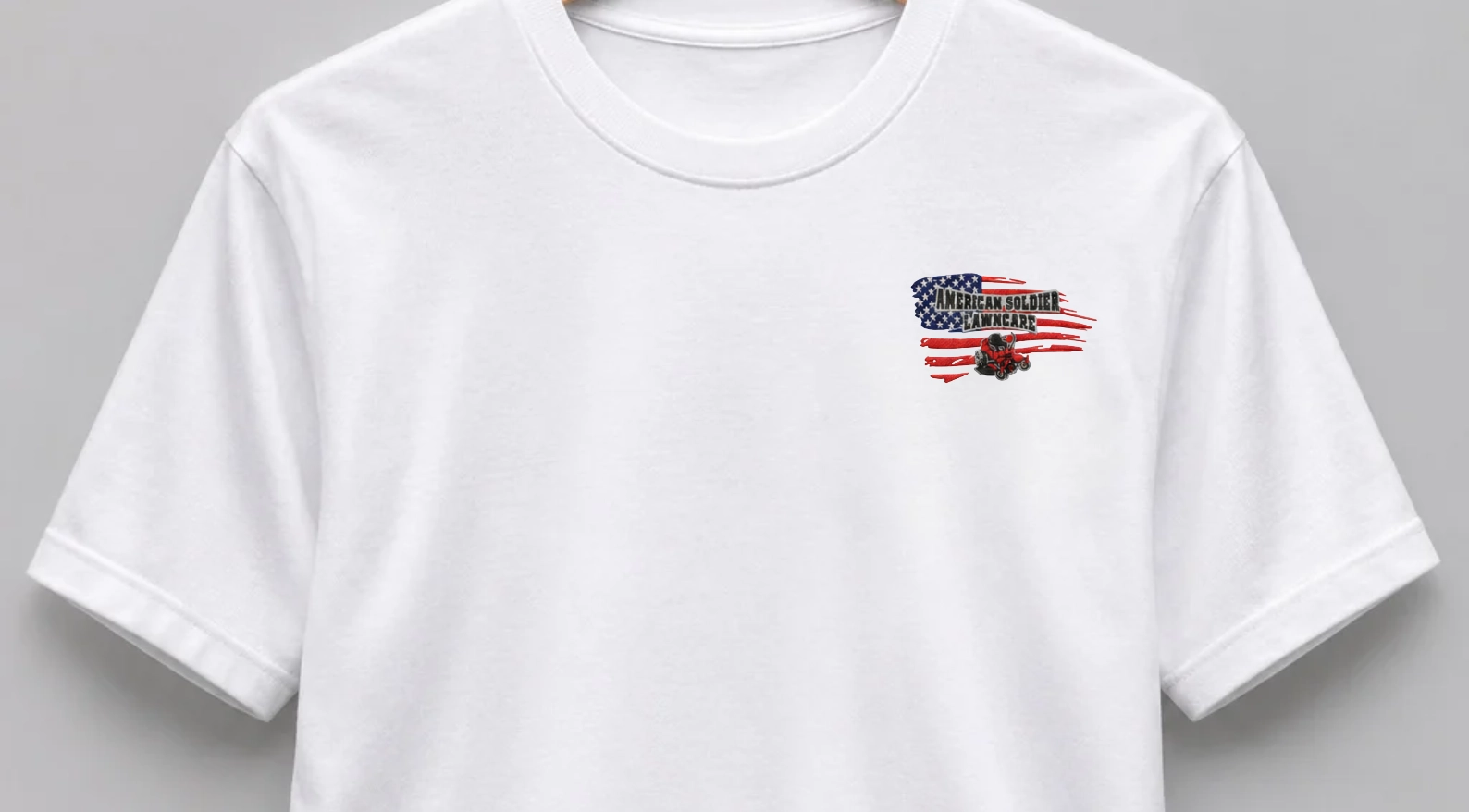
What makes a font work at a tiny size is not just how bold it looks. Letters need simple, easy-to-follow shapes and strokes that stay fairly even. Thin lines can disappear in the embroidery thread, while thick strokes may crowd together. A balanced font gives each letter room to hold its shape.
Also, pay close attention to the open spaces inside letters such as a, e, and o. These openings can close when stitches pull into the fabric. Clear gaps between letters matter too. Without enough spacing, words may look like one solid line, especially on caps or textured shirts.
However, the boldest option is not always the safest. Very heavy or narrow fonts may hide small openings and blur details. Choose a style with few decorations, then check it at the actual stitched height. Finally, test the font on the same fabric you plan to use. A clean screen preview cannot show exactly how the thread will sit.
Right Fonts for Small Embroidery
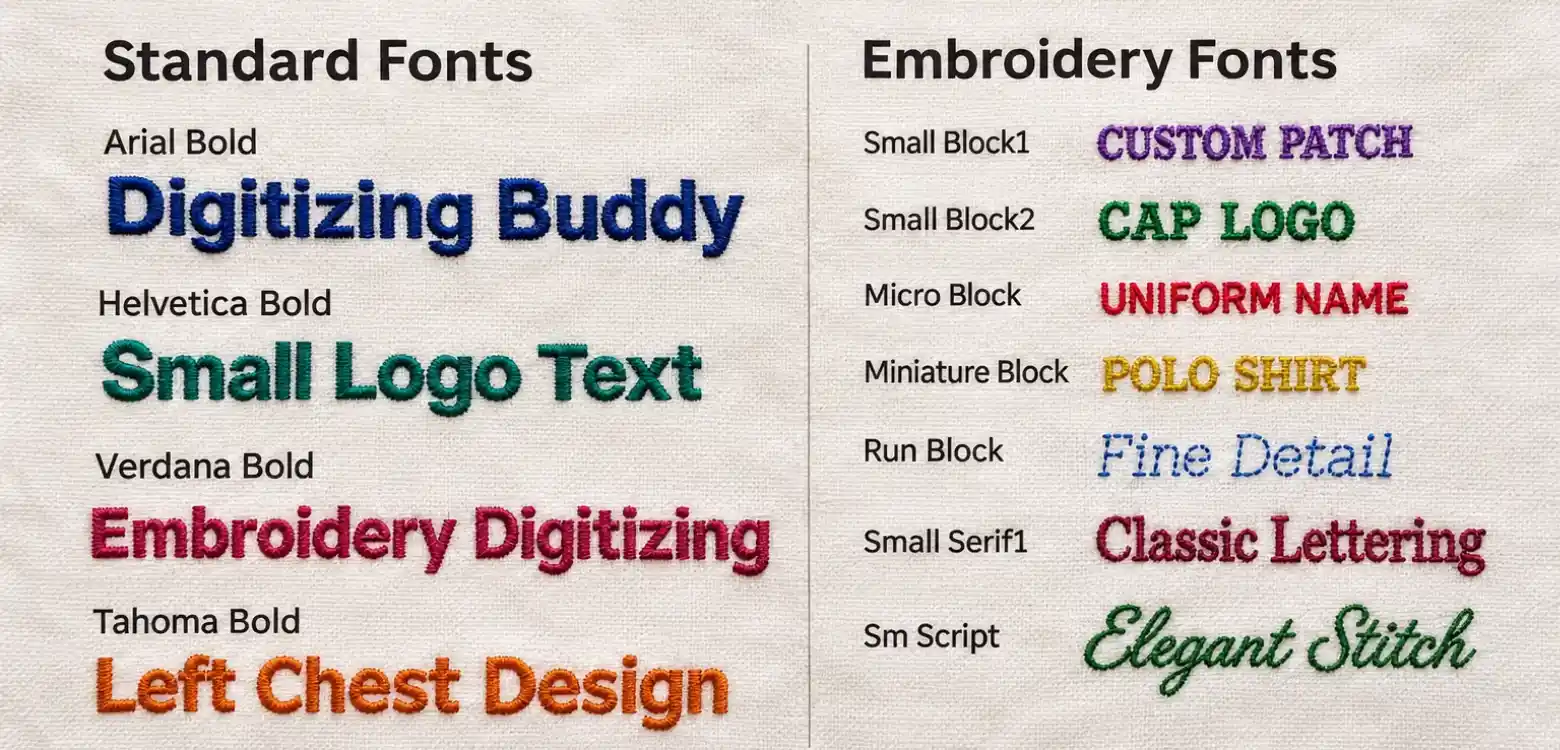
The right font depends on how small the letters must be. Some styles offer clear shapes for digitizing. Others are embroidery alphabets built for small sizes.
Arial Bold
Arial Bold has simple letters and steady strokes, making it a useful starting point for company names and short logo text. However, it is a computer font, not a ready-made stitch design. A digitizer must check narrow gaps and adjust each letter for the fabric.
Helvetica Bold
Helvetica Bold gives uniforms and business logos a clean, modern look. Its straightforward shapes suit short words, but letters can appear crowded when reduced. Leave enough space between characters and test the finished size.
Verdana Bold
Verdana Bold has broad letters and generous openings, which can make names easier to read. That extra width is also its main limit. A long tagline may not fit on a small chest logo embroidery or cap without making the text too short.
Tahoma Bold
Tahoma Bold offers a neater, more compact look for labels and short phrases. It takes up less room than Verdana, but tight spacing can cause trouble. Check the openings in letters such as a and e before shrinking the design.
Small Block and Micro Block Fonts
These are purpose-built embroidery alphabets in Hatch digitizing software. Small Block1 and Small Block2 have recommended capital heights of 4 to 6 mm. Micro Block starts at 6 mm and reaches 20 mm, while Miniature Block covers 6 to 15 mm.
Unlike ordinary computer fonts, these choices come with digitized stitch shapes. Still, stay within each font’s recommended range and test on your fabric.
Run Block, Small Serif1, and Sm Script
Run Block uses running stitches instead of wider satin columns. “Hatch recommends it from 5 to 12 mm, making it an option for fine lettering.”
Meanwhile, Small Serif1 adds a classic style, and Sm Script offers a handwritten look. Both have recommended heights of 4 to 6 mm. These are special embroidery alphabets, not regular serif or script fonts scaled down.
Quick Font Comparison
| Font | Type | Best Use | Main Limit |
|---|---|---|---|
| Arial Bold | Computer | Business names | Needs digitizing |
| Helvetica Bold | Computer | Corporate logos | Watch spacing |
| Verdana Bold | Computer | Short names | Takes more width |
| Tahoma Bold | Computer | Compact labels | Check openings |
| Small Block1 and 2 | Embroidery | Tiny capitals | 4 to 6 mm range |
| Micro and Miniature Block | Embroidery | Small text | Start at 6 mm |
| Run Block | Embroidery | Fine line letters | Different stitched look |
| Small Serif1 and Sm Script | Embroidery | Classic or script text | 4 to 6 mm range |
Best Embroidery Fonts for Lettering Under 0.25 Inch
Lettering under 0.25 inch is smaller than 6.35 mm. At this size, a regular font may lose its shape, even if it looks clear on screen. A small embroidery alphabet is usually a better starting point.
Want to see how tiny embroidery letters perform with different threads? This video compares 40-weight and 60-weight threads to show how different thread choices affect the clarity and stitch quality of small letters.
Which Fonts Work Below 6.35 mm?
In Hatch Embroidery 4, Small Block1, Small Block2, Small Serif1, and Sm Script have recommended capital-letter heights of 4 to 6 mm. Run Block starts at 5 mm and uses running stitches for fine letters. Micro Block and Miniature Block start at 6 mm, so neither suits 4 mm text.
However, font choice alone cannot prevent crowded stitches.
Madeira reports 6 to 7 mm block lettering with standard 40-weight thread. Its finer 60-weight thread can produce specialist letters down to 3 mm with suitable needles and digitizing.
What Do Real Sew-Outs Show?
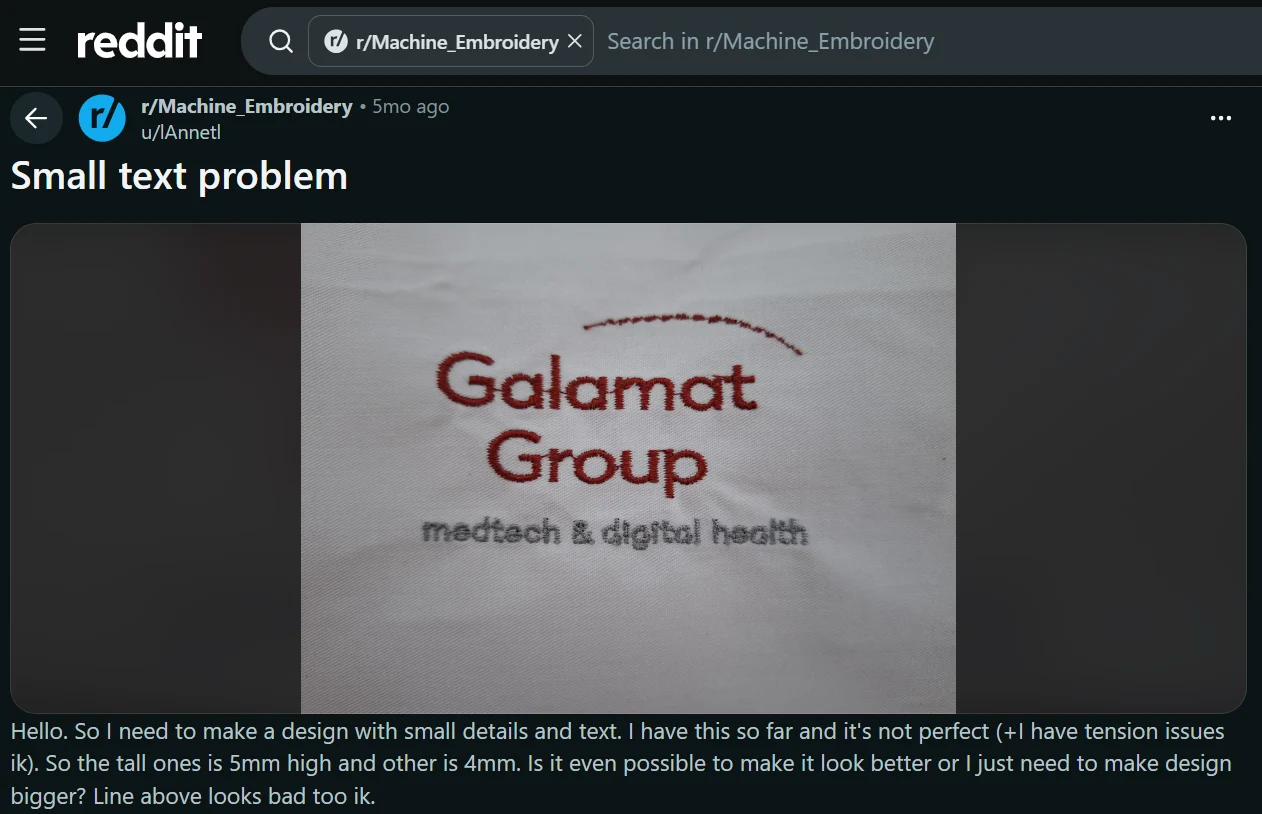
In a Reddit Machine Embroidery discussion, a user shared a logo with 4 mm and 5 mm letters that did not stitch cleanly. Other embroiderers suggested finer thread, needle changes, and running stitches. The discussion shows why testing matters, rather than proving a fixed minimum size.
For everyday uniforms, choose readable lettering over the smallest possible size. For micro text, test the design on your actual fabric before production.
Block vs. Serif vs. Script Fonts: Which Works Best?
For tiny lettering embroidery, the font style affects how clearly each letter stitches. Block fonts are usually the safest choice, but serif and script styles can work with the right design.
How Do These Styles Compare?
- Block fonts have simple shapes and steady strokes. They suit small employee names, logos, and uniform text.
- Serif fonts give lettering a classic look. However, their short decorative strokes may disappear or blend into nearby stitches.
- Script fonts add a personal touch to names and gifts. Yet connected letters, narrow loops, and tight curves need more space.
Still, you do not have to avoid serif or script lettering. Specialist embroidery alphabets, such as Small Serif1 and Sm Script, are designed for smaller sizes.
Fonts to Avoid for Tiny Embroidery
Some fonts look beautiful on screen but lose detail when stitched small. Thin calligraphy may create weak lines, while very narrow letters can crowd together. Distressed fonts often contain tiny gaps that stitches cannot show clearly.
Also, decorative fonts with extra curls, sharp points, or fine details need more room. Heavy condensed fonts, such as Anton, may pack too many stitches into narrow letters. Without careful adjustments, letter openings can close, and words become hard to read.
However, these fonts are not always poor choices. Their results depend on letter height, fabric, thread, and digitizing. When the style matters, test a sample before stitching the full design.
How to Choose the Right Font for Your Embroidery Design
Start with the final letter height and available space. A short name allows wider letters, while a long tagline may need a simpler font. Also, consider the fabric and where the design will sit.
Choose Fonts Based on the Product
- Work Uniforms: Simple block fonts work well on smooth, stable fabric.
- Structured Caps: Choose clear letters with enough spacing to fit the curved surface.
- Embroidered Patches: Use balanced strokes and leave enough room around borders.
- Towels: Avoid thin lettering because raised fabric loops can hide small stitches.
Meanwhile, keep your original brand font when possible. Adjust letter shapes and spacing if the design looks crowded. Stretchy or textured fabrics may also require larger letters.
Finally, test the lettering at its actual size on similar fabric before approving the design.
Can Manual Digitizing Make Tiny Letters More Readable?
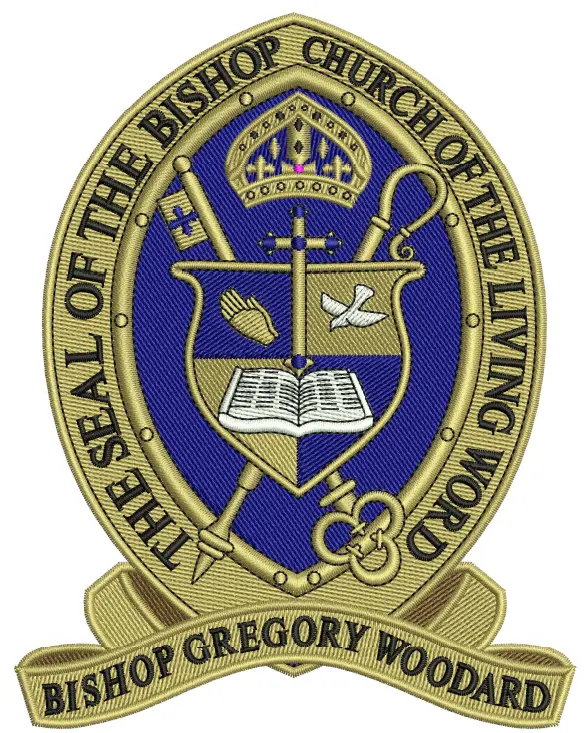
Automatic font conversion can turn clean text into stitches, but tiny letters often lose their shape. Narrow gaps may close, and thin parts may disappear. Manual digitizing allows careful changes while keeping the original lettering style.
What Does a Digitizer Adjust?
A skilled digitizer can:
- Widen openings in letters like a and e.
- Plan stitch paths to avoid crowded overlaps.
- Adjust spacing and pull compensation for the fabric.
These changes matter for logos with small brand names or taglines. Even careful edits need a test stitch before production.
DIY vs. Professional Embroidery Digitizing
DIY gives you control, but software such as Hatch or StitchArtist can cost hundreds of dollars or more. You also need time to learn stitch types, edit letters, and test results. A small logo may take several attempts.
Meanwhile, experienced embroidery digitizers know how thread and fabric affect tiny text. They can protect the look of a brand font while preparing a machine-ready file. For a one-time project, custom lettering digitizing may cost less than buying software and learning everything yourself.
Final Thoughts
Choosing the right font is the first step toward clear, readable embroidery. Simple styles like Arial Bold, Helvetica Bold, and Verdana Bold offer a good starting point for small names and logos. However, a font that looks great on screen still needs proper digitizing to stitch well.
As letters get smaller, specialist embroidery alphabets, careful spacing, and suitable thread become more important. Also, consider the fabric, letter height, and available space before making your final choice.
Want your small logo lettering to look clean and professional? Contact Digitizing Buddy for custom embroidery digitizing. Upload your artwork, get a free quote, and receive a stitch-ready file prepared for your design.
Frequently Asked Questions
For standard 40-weight thread, lettering around 6 to 7 mm is a practical starting point. Specialized embroidery fonts and finer thread may allow letters as small as 3 to 4 mm.
Yes, Arial Bold has simple shapes and clear strokes that suit small names and logos. However, proper digitizing and spacing are necessary to keep the letters readable.
Yes, especially digitized script fonts, such as Hatch Sm Script, support capital letters from 4 to 6 mm. However, small loops and connected strokes require careful stitching and testing.
Yes, 60-weight thread is thinner than standard 40-weight thread. It allows finer details and smaller letters, but you also need a suitable needle, proper digitizing, and stable fabric.
Yes, you can use fonts like Arial, Helvetica, and Verdana. However, embroidery software must convert them into stitches, and small letters may need manual adjustments for clean results.