
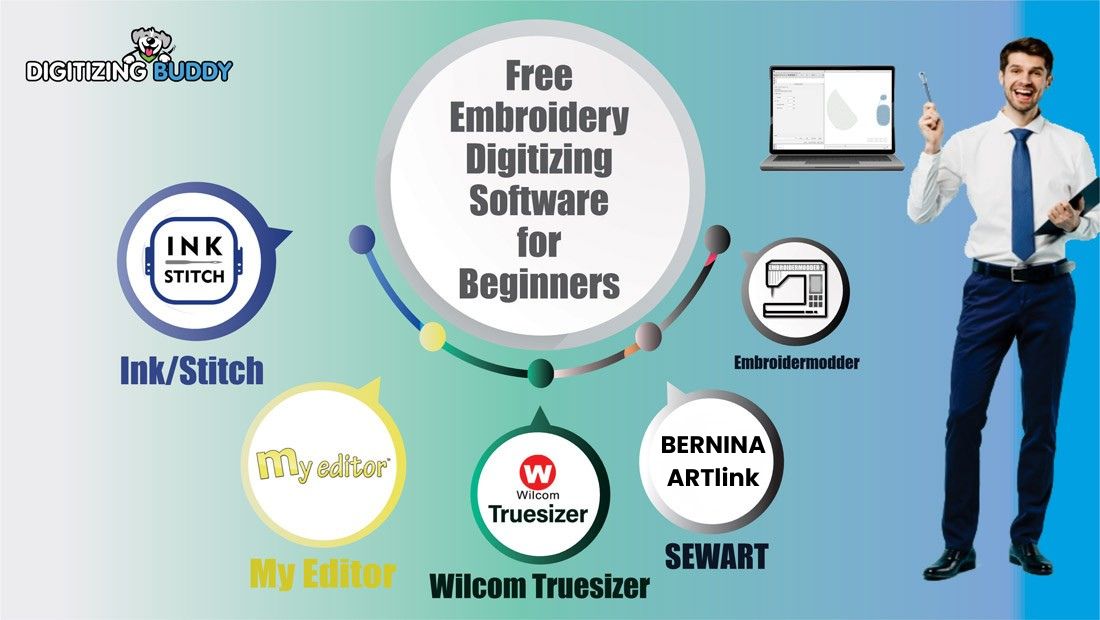
For hobbyists who want to digitize embroidery designs without buying expensive software, several free embroidery digitizing software available.
- Best for advanced users: Ink/Stitch
- Best for beginners: My Editor
- Best for quick edits: Wilcom Workspace (formerly TrueSizer)
- Best for file conversion: Bernina ArtLink
Ink/Stitch remains the most capable open-source embroidery digitizing tool, while My Editor and Wilcom Workspace are useful for editing, resizing, and previewing embroidery files.
Introduction
Embroidery digitizing software converts images and artwork into stitch files that embroidery machines can read and sew automatically.
Professional embroidery software can cost hundreds or even thousands of dollars. However, several free tools allow beginners and hobbyists to experiment with digitizing without making a financial investment.
Popular tools such as Ink/Stitch, Embroidermodder, and Wilcom Workspace allow users to convert designs into machine formats like PES, DST, and EXP.
In this guide, we explore the best free embroidery digitizing software in 2026, including their features, limitations, and when quality digitizing services may be a better option.
- Introduction
- What Are the Best Free Embroidery Digitizing Software in 2026?
- What Are the Steps to Use Free Embroidery Digitizing Software?
- What Are the Most Popular Free Embroidery Digitizing Tools in 2026?
- Comparison of the Best Free Embroidery Digitizing Software
- Why Should You Use Free Embroidery Digitizing Software?
- What are the Limitations of Free Embroidery Digitizing Software
- Tips for Successful Embroidery Digitizing
- Final Verdict: Which Free Digitizing Software Should You Choose?
What Are the Best Free Embroidery Digitizing Software in 2026?
| Software | Best Features | Difficulty | OS Support |
|---|---|---|---|
| Ink/Stitch | SVG to Stitch Conversion | High | Windows, Mac, Linux |
| Embroidermodder | Manual Stitch Editing | Medium | Windows, Linux |
| My Editor | 3D Stitch Simulation | Low | Windows |
| Bernina ArtLink | Format Conversion | Low | Windows |
| Bernina ArtLink | File Viewing & Conversion | Low | Web |
1. Ink/Stitch
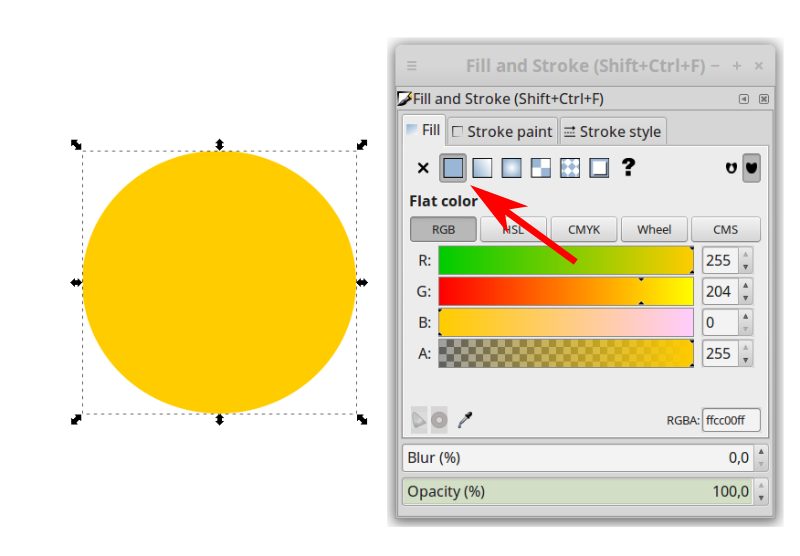
Best for: Full embroidery digitizing
Ink/Stitch is widely considered the most powerful free embroidery digitizing tool available. It works as an extension for Inkscape, a popular vector graphics editor, and allows users to convert vector artwork into embroidery stitch files.
Because it provides full control over stitch direction, density, and lettering, Ink/Stitch is the closest free alternative to professional digitizing software.
Pros
-
Completely free and open source
-
Supports satin, fill, and running stitches
-
Works on Windows, Mac, and Linux
-
Allows full embroidery design creation
Cons
-
Requires learning Inkscape
-
Steeper learning curve than simple editors
How to Create a Simple Monogram in Ink/Stitch
-
Install Inkscape and the Ink/Stitch extension.
-
Use the text tool to create your monogram initials.
-
Convert the text into vector paths using Path → Object to Path.
-
Open Extensions → Ink/Stitch → Params to define stitch settings.
-
Export the design in a machine format such as PES or DST.
-
Run a test stitch on scrap fabric before using the final material.
2. Wilcom Workspace (formerly TrueSizer)
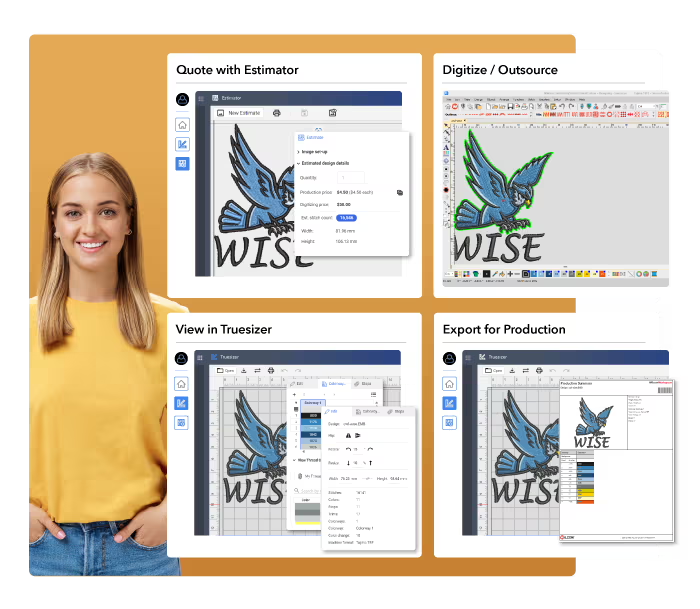
Best for: File conversion, resizing, and quick edits
Wilcom Workspace is a browser-based embroidery design viewer and converter. It is not designed for creating embroidery designs from scratch, but it is extremely useful for resizing designs, previewing stitch files, and converting between embroidery file formats .
Because it runs directly in a web browser, users can access it without installing heavy desktop software.
Pros
-
Easy to use
-
Works on multiple devices through a browser
-
Excellent for resizing and format conversion
-
Helpful for viewing designs before stitching
Cons
-
Cannot create embroidery designs from scratch
-
Limited editing tools compared with paid software
Typical Use Case of Wilcom Workspace
Many embroidery users rely on Wilcom Workspace to:
-
Resize embroidery designs safely
-
Convert files between formats like DST and PES
-
Preview designs before sending them to the machine.
3. My Editor (by Wings Systems)
Best for: Beginners and 3D design previews
My Editor is a popular free embroidery design viewer and editor that allows users to open, preview, and modify embroidery designs. One of its biggest advantages is the realistic 3D preview feature, which helps users visualize how the stitches will appear when embroidered.
It is particularly helpful for beginners who want to preview and make small edits to embroidery files.
Pros
-
Beginner-friendly interface
-
Strong 3D stitch preview
-
Supports many embroidery formats
-
Useful for resizing and color changes
Cons
-
Limited digitizing capability
-
Cannot create complex designs from scratch
How to Use My Editor
-
Install the program and register the software.
-
Open an embroidery design file such as PES or DST.
-
Use the editing tools to resize or rotate the design.
-
Preview the design in 3D to check stitch appearance.
-
Export the edited file in your machine’s format.
The following short video shows all the Free Embroidery Digitizing software for beginners :
4. Bernina ArtLink
Best for: Resizing and embroidery format conversion
Bernina ArtLink is a free embroidery editing tool designed mainly for resizing designs and converting embroidery file formats. It is especially useful for Bernina machine owners, but it can also help users of other machines prepare files for stitching.
While it does not support full digitizing, it is a reliable utility for editing and preparing embroidery designs.
Pros
-
Simple and easy to use
-
Good for resizing embroidery designs
-
Helpful for format conversion
-
Stable and reliable software
Cons
-
Limited creative digitizing tools
-
Mainly focused on editing existing designs
Typical Use Case
ArtLink is commonly used to:
-
Resize embroidery designs
-
Convert embroidery file formats
-
Prepare designs for embroidery machines.
5. Embroidermodder
Best for: Technical users and advanced editing
Embroidermodder is an open-source embroidery editing program designed mainly for technical users and developers. It supports multiple embroidery formats and allows advanced file editing and batch conversions.
However, the interface is more technical than other tools, making it less suitable for beginners.
Pros
-
Free and open source
-
Supports many embroidery file formats
-
Useful for batch file conversion
-
Good for advanced technical workflows
Cons
-
Not beginner-friendly
-
Interface can feel experimental
-
Less polished than other software options
Typical Use Case
Advanced users often use Embroidermodder to:
-
Inspect embroidery file data
-
Convert files between formats
-
Analyze stitch counts and measurements.
Having trouble with thread breaks or puckering?Free software often lacks the advanced automation needed for complex fabrics. Don’t risk ruining your garment! For just $10, Digitizing Buddy’s expert digitizers will provide a flawless file guaranteed to run smooth on your machine.
[Get Your Professional Sew-Out Ready File Now]
What Are the Steps to Use Free Embroidery Digitizing Software?
If you are new to embroidery digitizing, follow these basic steps.
-
Download and install the software you want to use.
-
Learn the basic tools such as stitch types and path editing.
-
Import or create a design inside the software.
-
Digitize the design by defining stitch direction, stitch density , and order.
-
Export the design in a format compatible with your embroidery machine.
-
Test stitch the design before sewing it on the final fabric.
What Are the Most Popular Free Embroidery Digitizing Tools in 2026?
Based on usability, popularity, and features, the tools are commonly ranked as:
-
Ink/Stitch – best for full embroidery digitizing
-
Wilcom Workspace – best for resizing and file conversion
-
My Editor – best for beginners and previews
-
Bernina ArtLink – best for resizing and format preparation
-
Embroidermodder – best for technical users.
Comparison of the Best Free Embroidery Digitizing Software
| Software | Best For | Difficulty | Platform |
|---|---|---|---|
| Ink/Stitch | Full digitizing | High | Windows, Mac, Linux |
| Wilcom Workspace | Resizing & conversion | Low | Web |
| My Editor | Previews & edits | Low | Windows |
| Bernina ArtLink | Format conversion | Low | Windows |
| Embroidermodder | Advanced editing | Medium | Windows, Linux |
Why Should You Use Free Embroidery Digitizing Software?
Free embroidery digitizing software is helpful for beginners and hobbyists who want to learn digitizing without purchasing expensive programs.
Benefits include:
-
Learn embroidery digitizing without paying for commercial software
-
Experiment with converting artwork into stitch files
-
Practice embroidery design techniques before investing in paid tools
-
Edit existing embroidery files and convert formats
-
Test ideas and improve digitizing skills
Some free programs even offer surprisingly powerful features for creating and editing embroidery designs.
What are the Limitations of Free Embroidery Digitizing Software
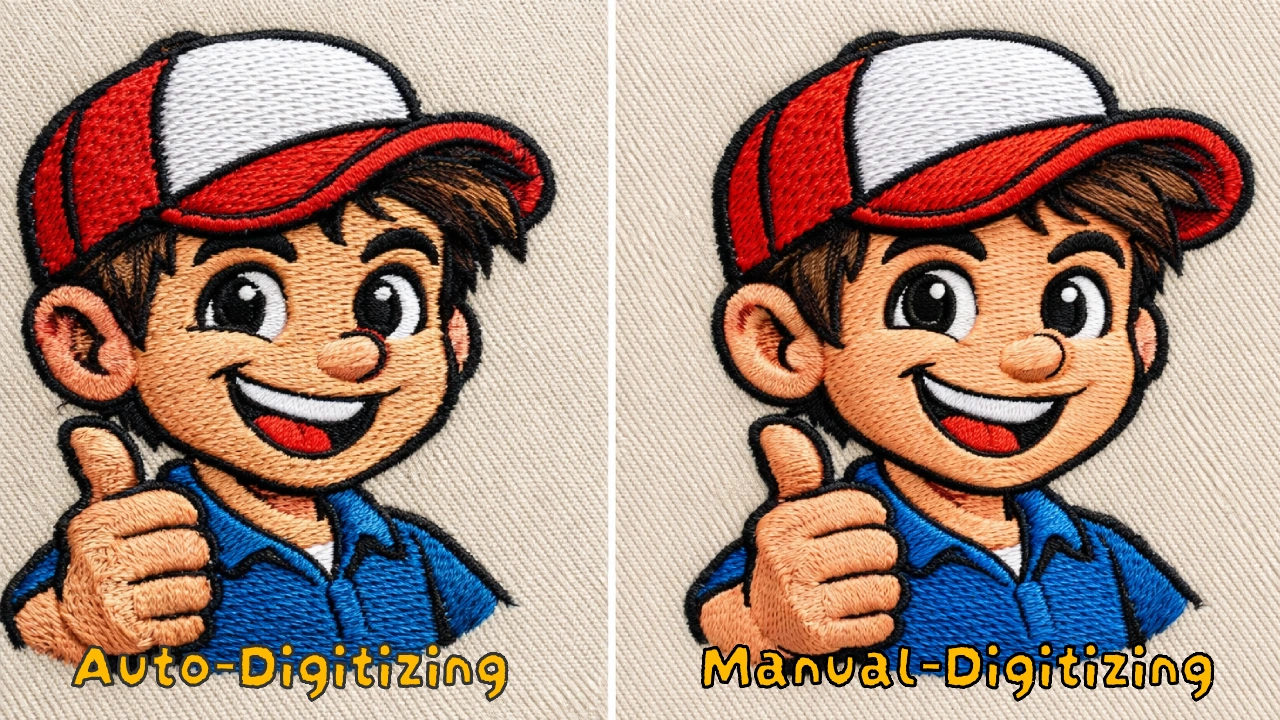
Free embroidery digitizing tools are useful for learning and basic editing, but they often have limitations compared to professional software.
Common limitations include:
-
Limited stitch automation
-
Fewer lettering tools
-
Manual stitch path adjustments
-
Less control over push-pull compensation
-
Fewer production workflow tools
Because of these limitations, many embroidery businesses eventually use professional digitizing software or outsource digitizing.
Tips for Successful Embroidery Digitizing
-
Start with simple designs before attempting complex artwork
-
Use high-resolution images for cleaner digitizing
-
Adjust stitch density to avoid thread breaks
-
Always run a test stitch before production
-
Learn from online tutorials and embroidery communities
Final Verdict: Which Free Digitizing Software Should You Choose?
Free embroidery digitizing software can be very useful for learning and experimenting with embroidery designs.
-
Ink/Stitch is the best option if you want full digitizing capability.
-
My Editor works well for beginners who mainly need previews and minor edits.
-
Wilcom Workspace is ideal for quick resizing and format conversion.
However, free tools often require more manual adjustments and experience to produce clean embroidery files.
Need Professional Embroidery Digitizing?
Learning digitizing can take time, and incorrect settings can cause problems such as thread breaks or poor stitch quality.
Expert digitizing services provide machine-tested embroidery files that run smoothly on embroidery machines.
Digitizing Buddy offers:
-
Professional digitizing starting at $10
-
Fast turnaround within 2–4 hours
-
Unlimited edits and customer support
Frequently Asked Questions
How can I convert a JPG or PNG image to a PES file for free?
To convert a JPG or PNG to a PES file for free, first use Inkscape to trace the image into a vector SVG file. Then use Ink/Stitch to assign stitch types, density, and direction before exporting the design as a PES or DST file. This method usually produces better results than one-click auto-converters.
Is there free embroidery digitizing software for Mac or iPad?
Yes, Ink/Stitch is one of the best free embroidery digitizing tools for Mac users. It works on macOS through Inkscape. For iPad, there is currently no fully featured free embroidery digitizing app, but some users rely on browser-based tools like Wilcom Workspace to preview and manage embroidery files.
Why does free embroidery digitizing software cause thread breaks?
Thread breaks often happen when stitch density is too high, pathing is inefficient, or compensation settings are not adjusted properly. Free software usually gives users less automation, so mistakes in stitch sequence or density can cause machine problems. Test stitching and careful manual adjustments can reduce these issues.
Can you digitize 3D puff embroidery for free?
Yes, 3D puff embroidery can be digitized for free using software like Ink/Stitch, but it requires manual adjustment of satin columns, density, and stitch coverage. Because puff embroidery is more technical than flat embroidery, many users prefer professional digitizing for cleaner coverage and fewer production problems.
Is Ink/Stitch better than paid software like Hatch or Wilcom?
Ink/Stitch is one of the best free embroidery digitizing tools, but it is not better than paid software in every area. Paid programs like Hatch and Wilcom offer more automation, better lettering tools, stronger technical support, and faster production workflows. Ink/Stitch is excellent for hobbyists and learners, while paid software is usually better for commercial embroidery businesses.